PlatformPersonalBusiness
Log InSign Up
Sign Up

Download DogPay App

Personal

  • DogPay Card
  • Personal USD Account
  • Personal Acquiring

Business

  • Global Bank Account
  • Crypto Payment Gateway
  • Card as a Service
  • Bank as a Service
  • Pay as a Service
  • Fiat Acquiring

Resources

  • Blog
  • News
  • Compliance
  • Help Center
  • API

Company

  • About Us
  • Join Us
  • Contact Us
  • Media Kit

Support

  • Privacy Policy
  • Terms of Service
  • Card Program Terms
  • Finance Terms
  • Membership Agreement
  • DCS Terms & Conditions
  • Fiat Acquiring Terms & Agreement
DOGPAY ® 2026. All rights reserved.

STRATUSPAY FINTECH LIMITED is registered in Canada and is regulated by Financial Transactions and Reports Analysis Centre of Canada (FINTRAC) as a Money Services Business (MSB license: C100000785). It is authorised to conduct foreign exchange, money remittance, virtual currency and payment service provider (PSP) activities in full compliance with Canadian AML/CTF requirements. Payment products are offered in partnership with licensed institutions; cards are issued by partners holding appropriate licences in their jurisdictions.

  1. Help Center

Help Center Directory

🔥Transfer Tip: Before making a transfer, always make sure the recipient is not involved in any scam activity.

1. Click “Withdraw” and select “Internal Transfer” as the first step
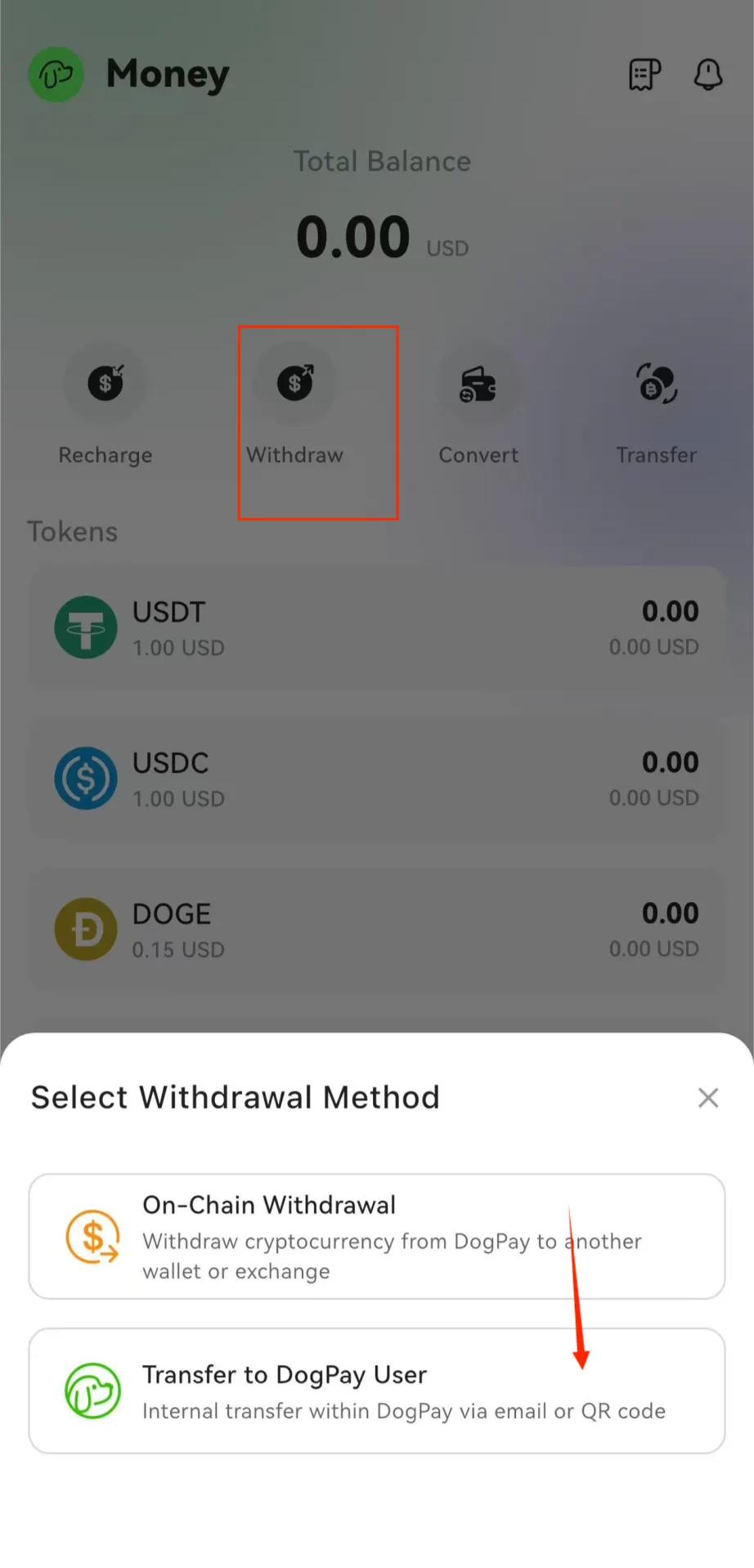
image (4).png

2. Before transferring, please make sure the email address and other details are correct
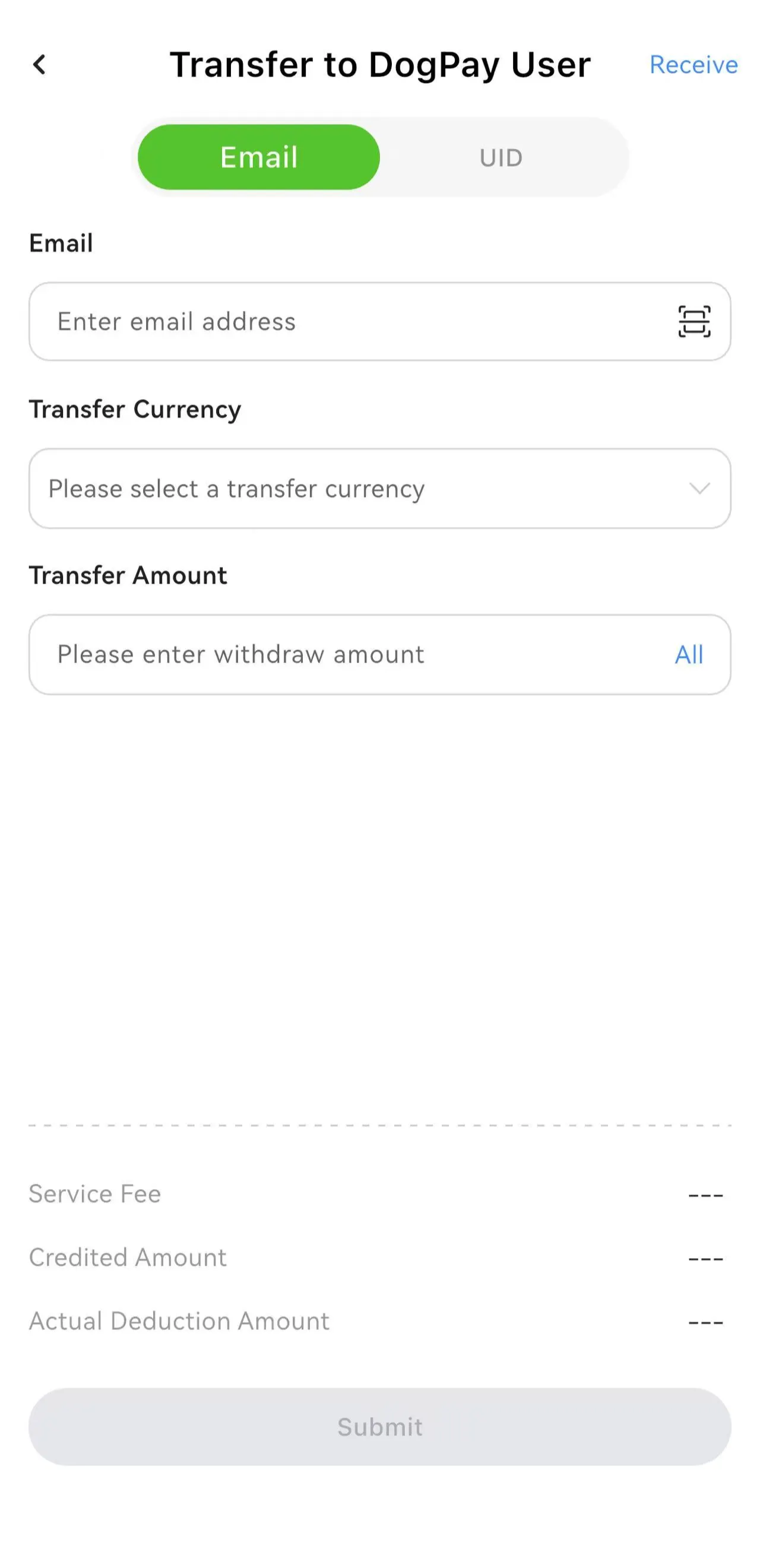
image (5).png

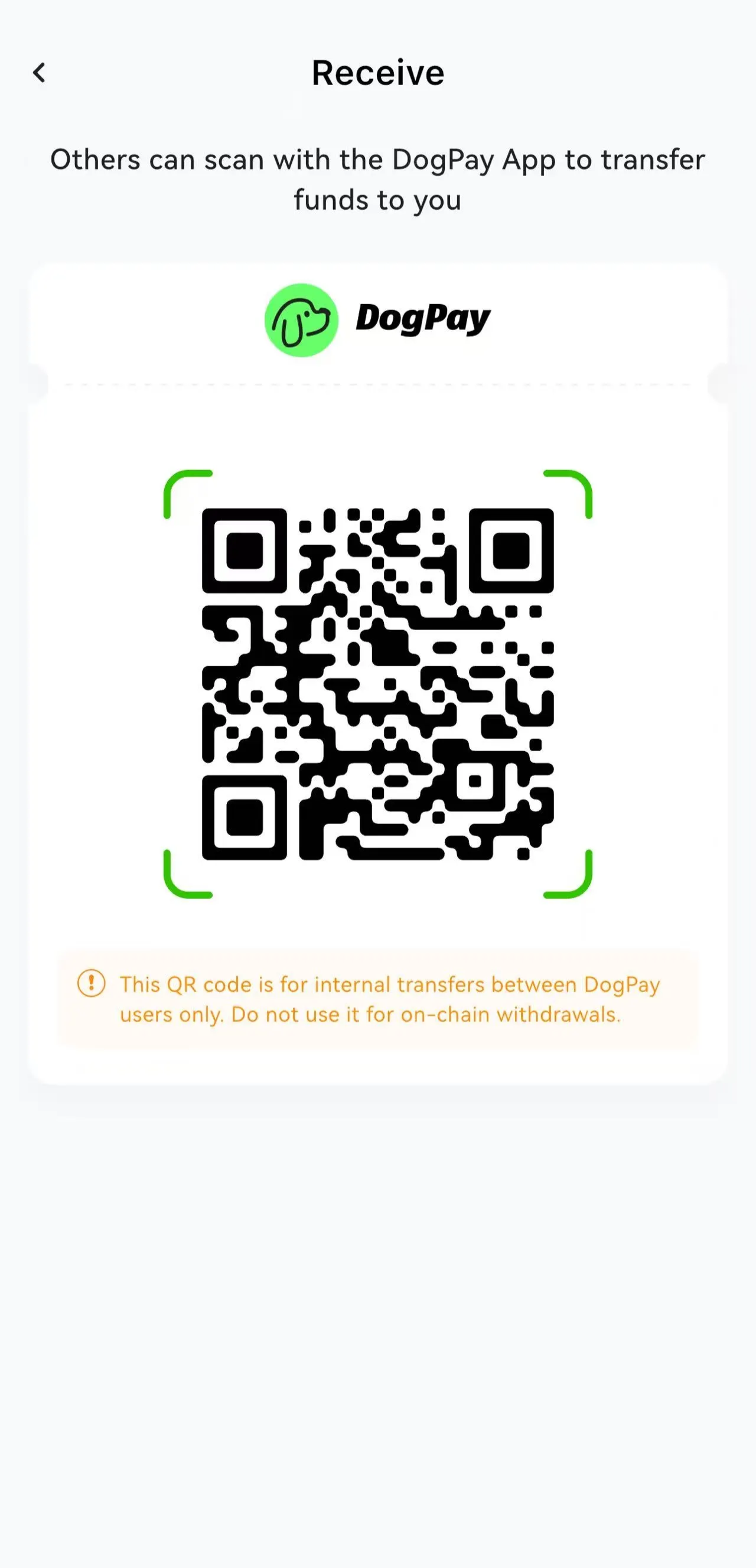
3. Click “Receive” in the top-right corner to generate a QR code.

Use this QR code for scanning in Step 2. Once the other party completes the scan, the transfer will be completed.
3ecd8258-8dcd-4748-989e-882061eaaef7.jpeg.png