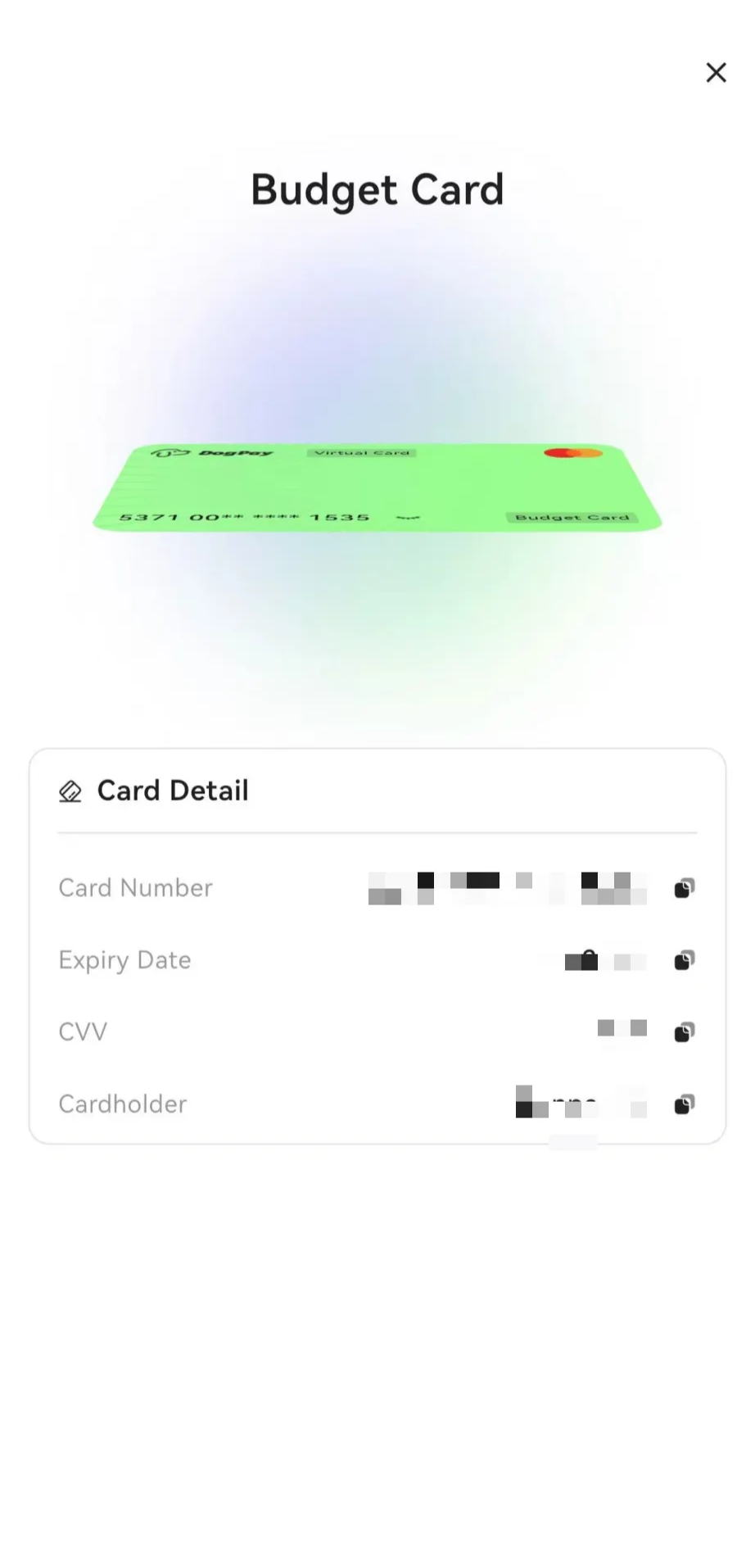
Stored Value Card CVV Viewing Rules
Stored-value cards need to be recharged and activated before you can normally view the CVV information. In other words, the relevant functions are only available when the card is in an active state.
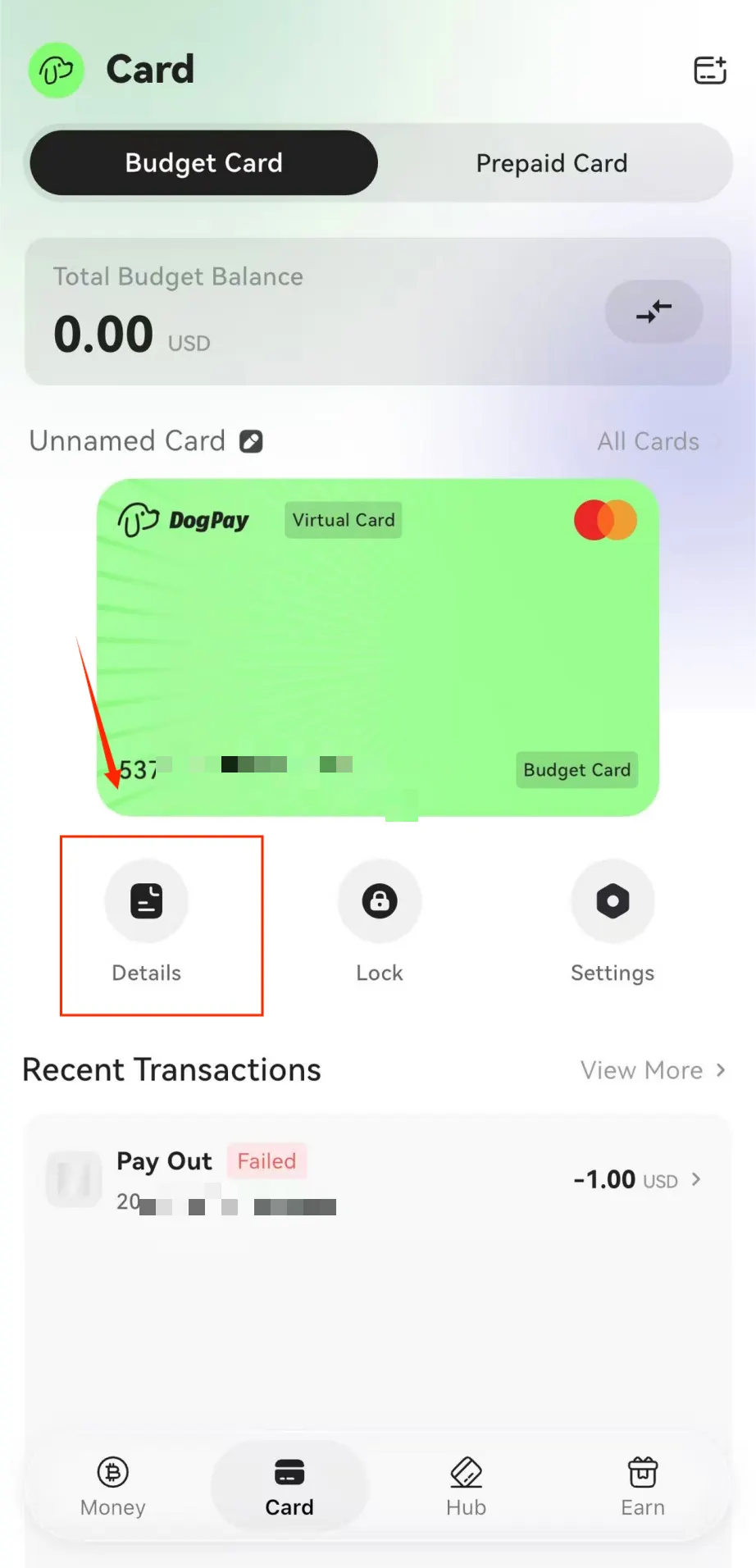
1. On the APP homepage, click the card — Card details
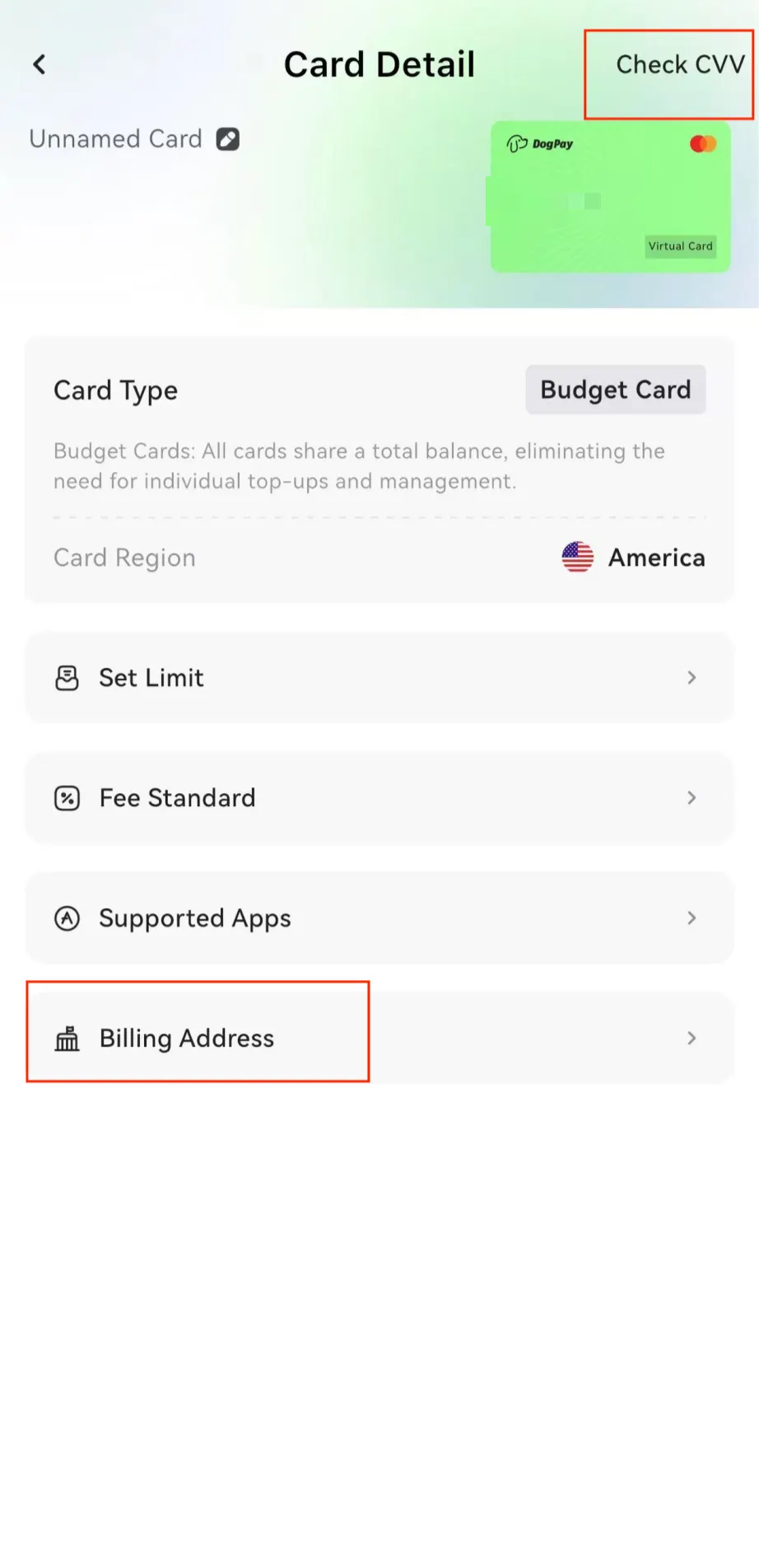
2. Click on the billing address at the bottom of the page (to view the CVV, you can either click on the card to enter the verification code or click the top right corner of this page).
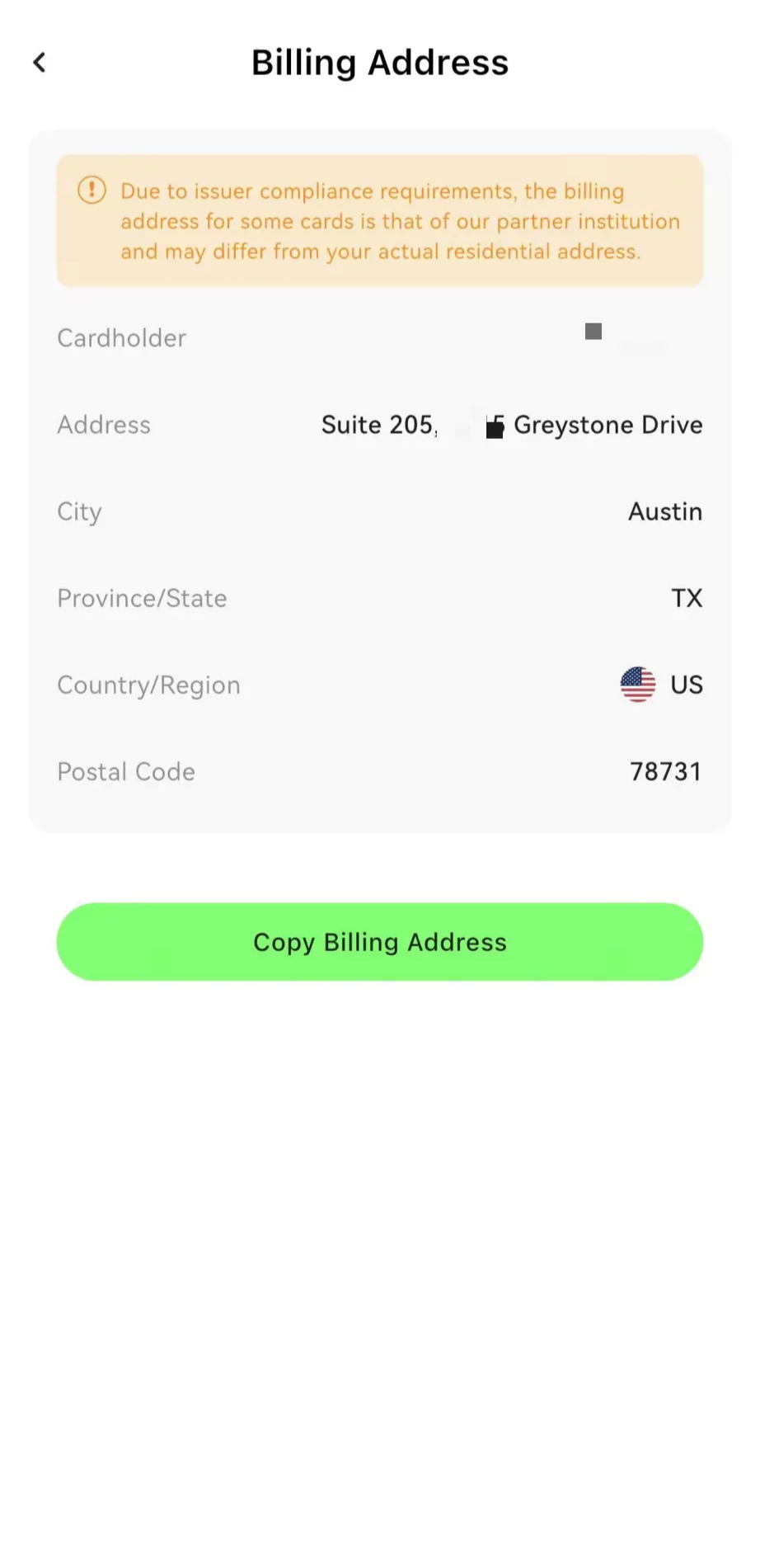
3. If the cardholder information on the billing address page is incorrect, please contact the assistant promptly for assistance.
4. The CVV page now includes cardholder information (available to some users who have unlocked Alipay risk control).