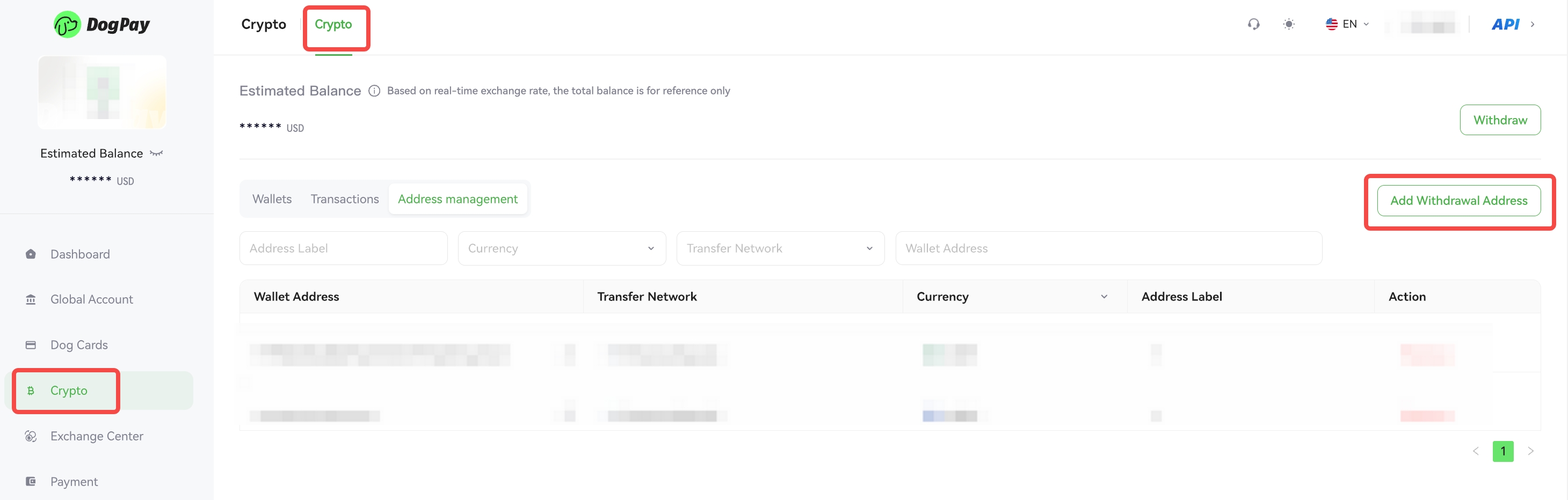
You can easily create a payee address in the DogPay Merchant Portal for withdrawals or transfers.
Example steps:
• Log in to your account and go to Crypto → Crypto.
• Navigate to the Withdrawal Address page and click Add Withdrawal Address.
• Select the Token and transfer network, enter the wallet address and label, and click Confirm to complete the creation.
💡 Note:
Please ensure that the wallet address you enter is accurate, as incorrect addresses may result in irreversible loss of funds.