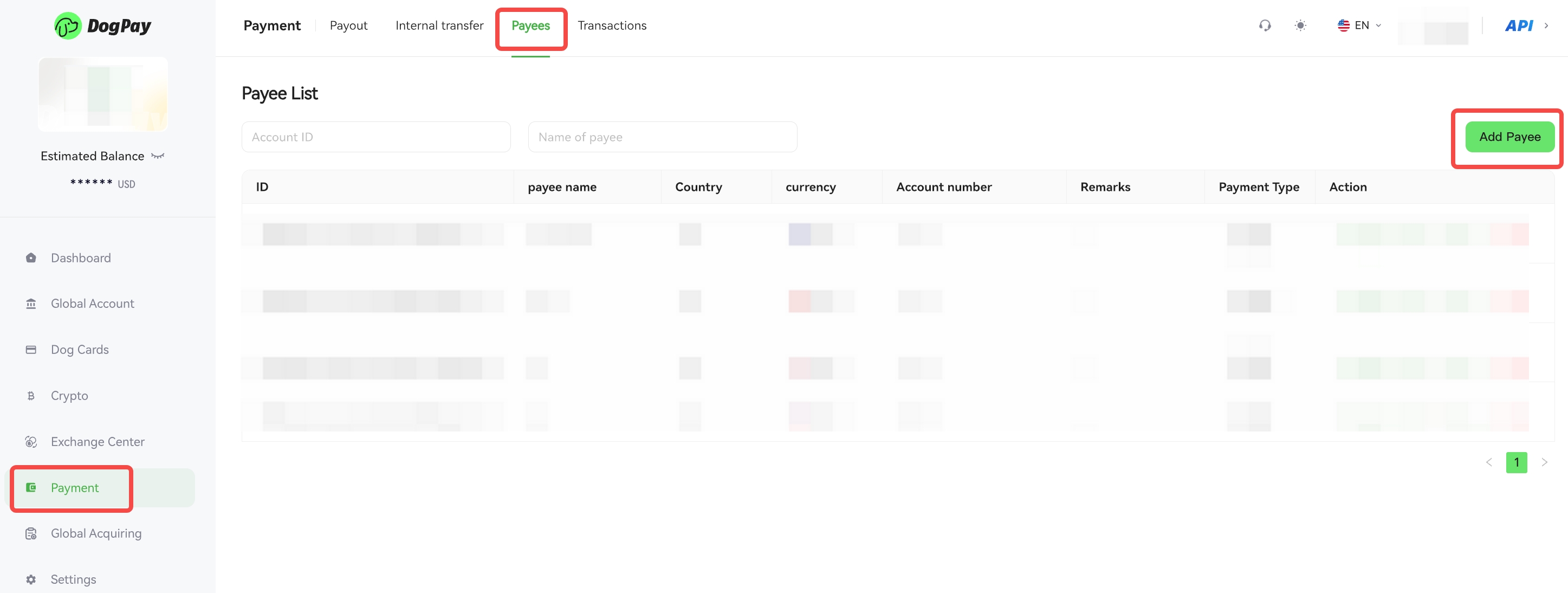
You can manage your B2B payment beneficiaries in the DogPay merchant portal.
To add a payee:
• Log in to your account and go to Payment → Payees → Add Payee.
• Fill in the required information (e.g., beneficiary name, account number, bank details) and submit.
To remove a payee:
• Log in to your account and go to Payment → Payees.
• Find the beneficiary you want to remove and click Delete.
• Confirm the removal.
💡 Note:
Please double-check the payee information to ensure it is correct and avoid payment errors.