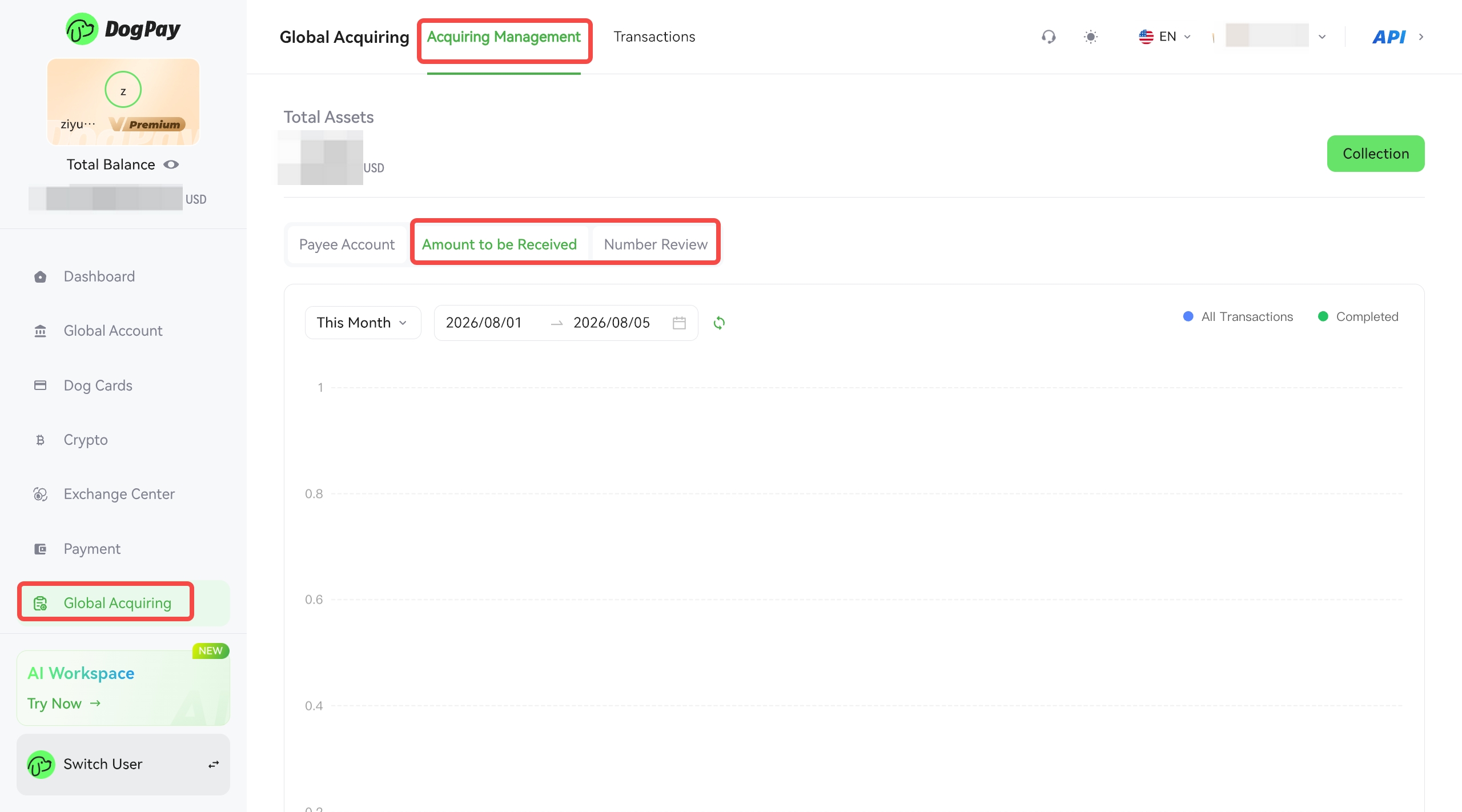
•Global Acquiring
After successful activation, the receiving account will be displayed by default in the acquiring business management section.
The acquiring account currently supports the following stablecoins: USDT and USDC.
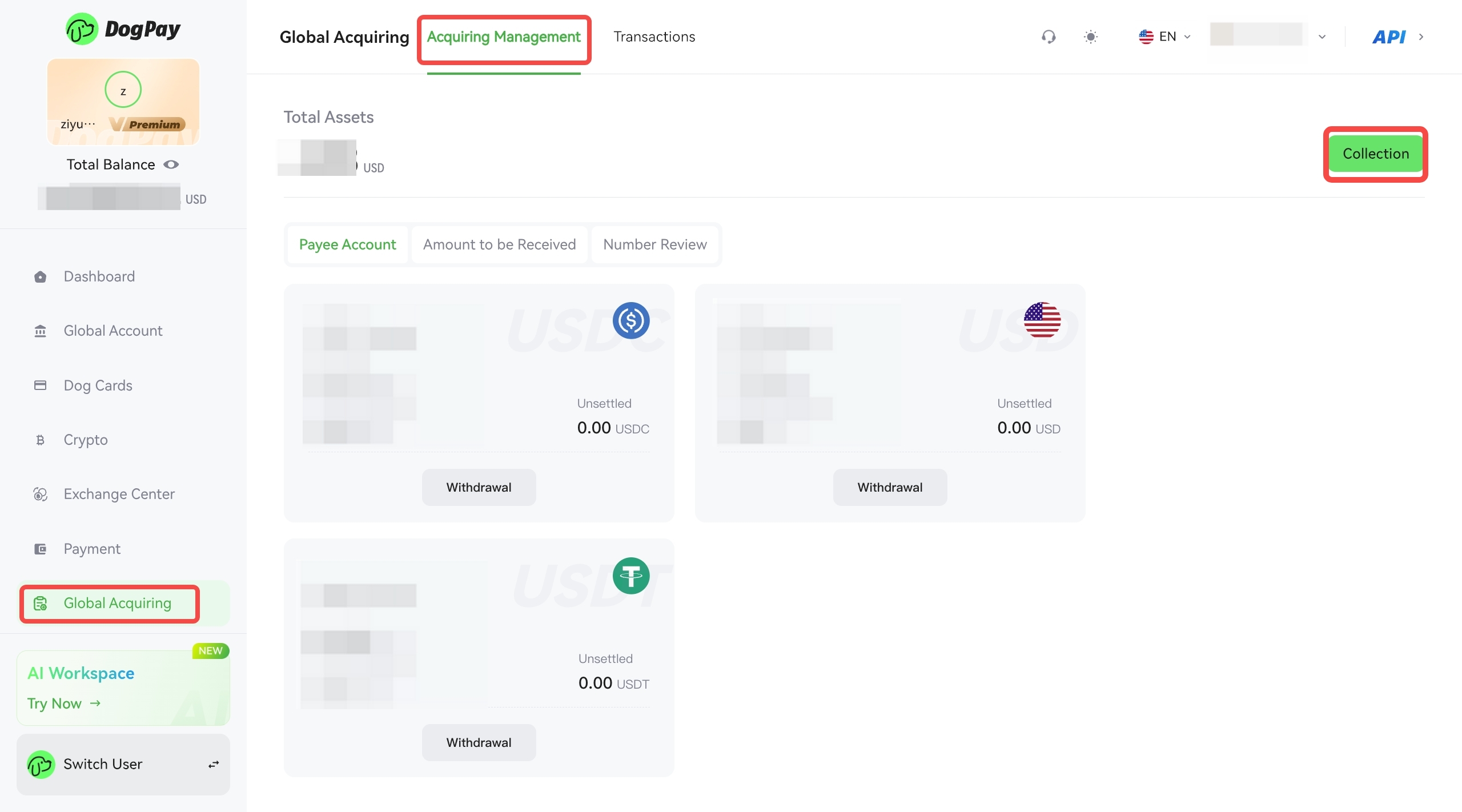
The acquiring operation steps are as follows:
1. Create a receiving account
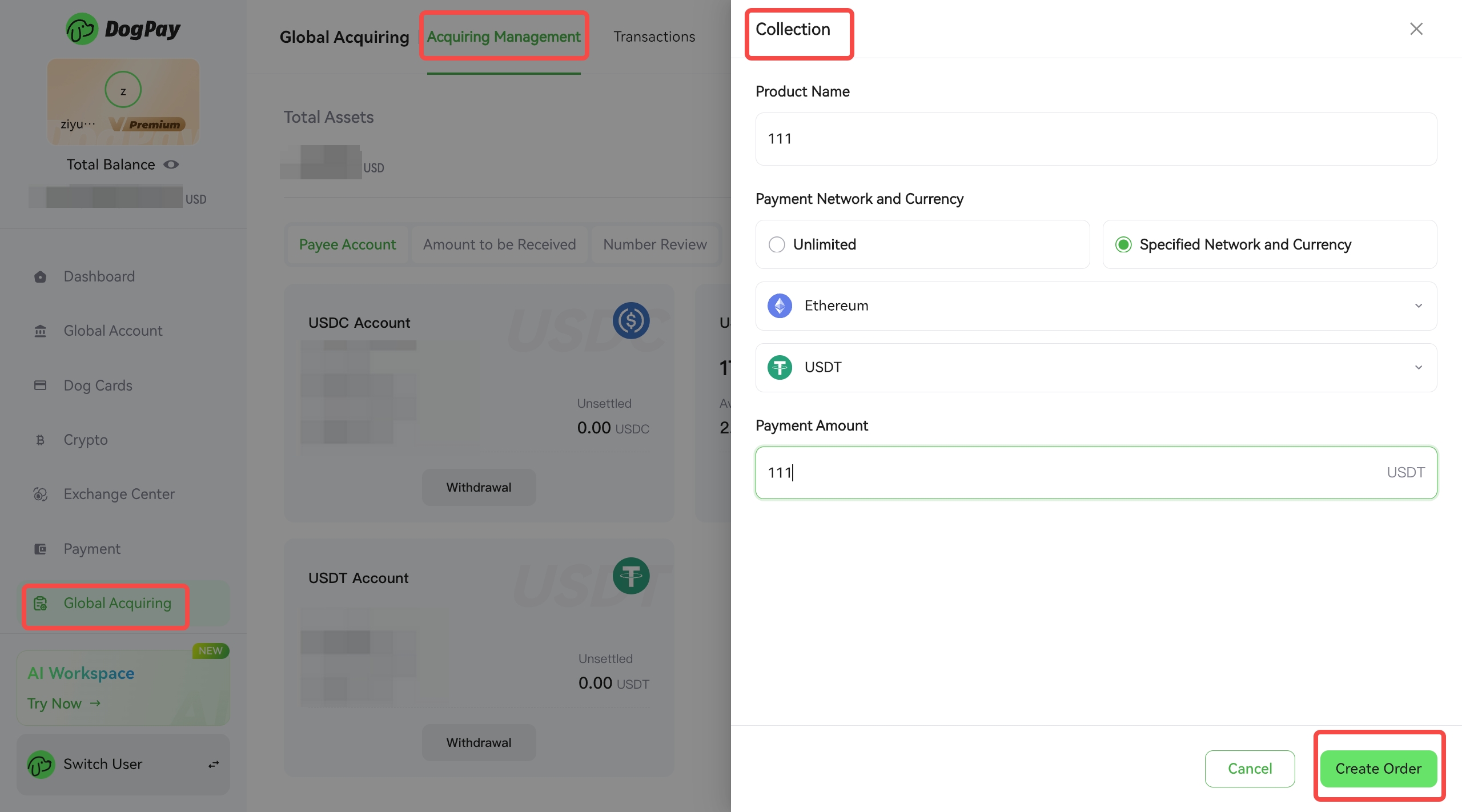
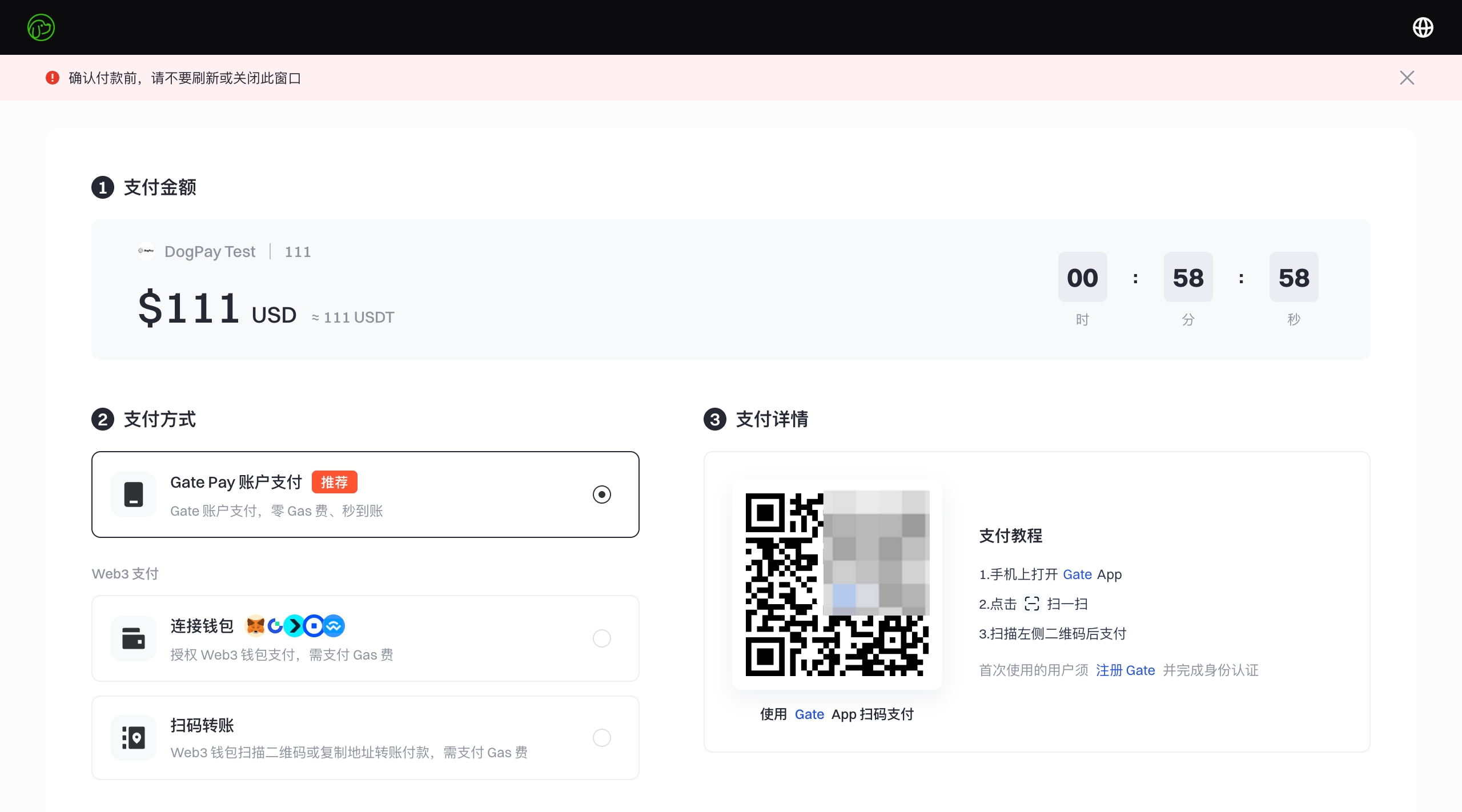
2. Fill in the details and create an order (Special note: Please select the payment chain and currency according to your actual needs. The selection in the image is for demonstration purposes only).
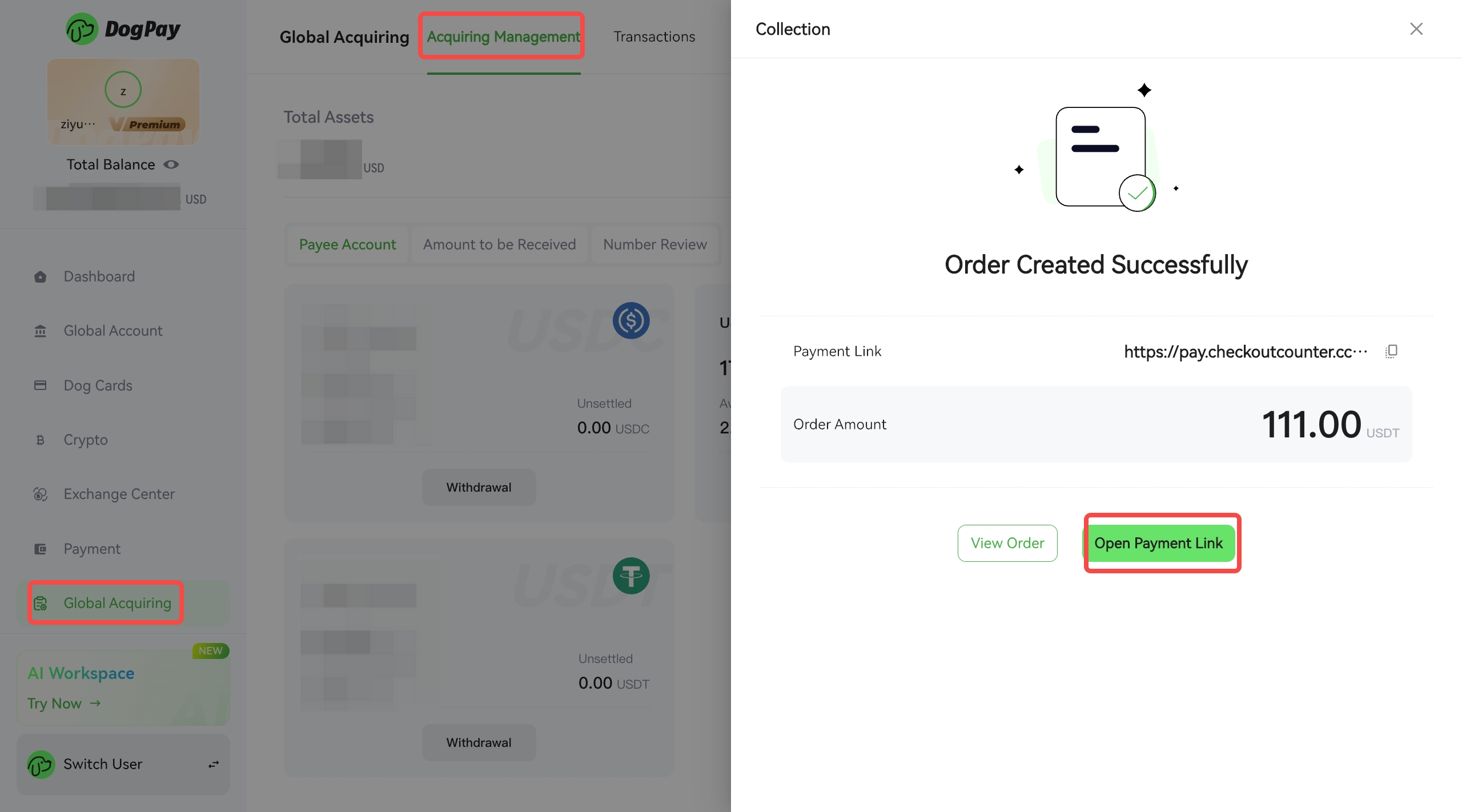
3. How to view the payment link after successful creation
•Refund
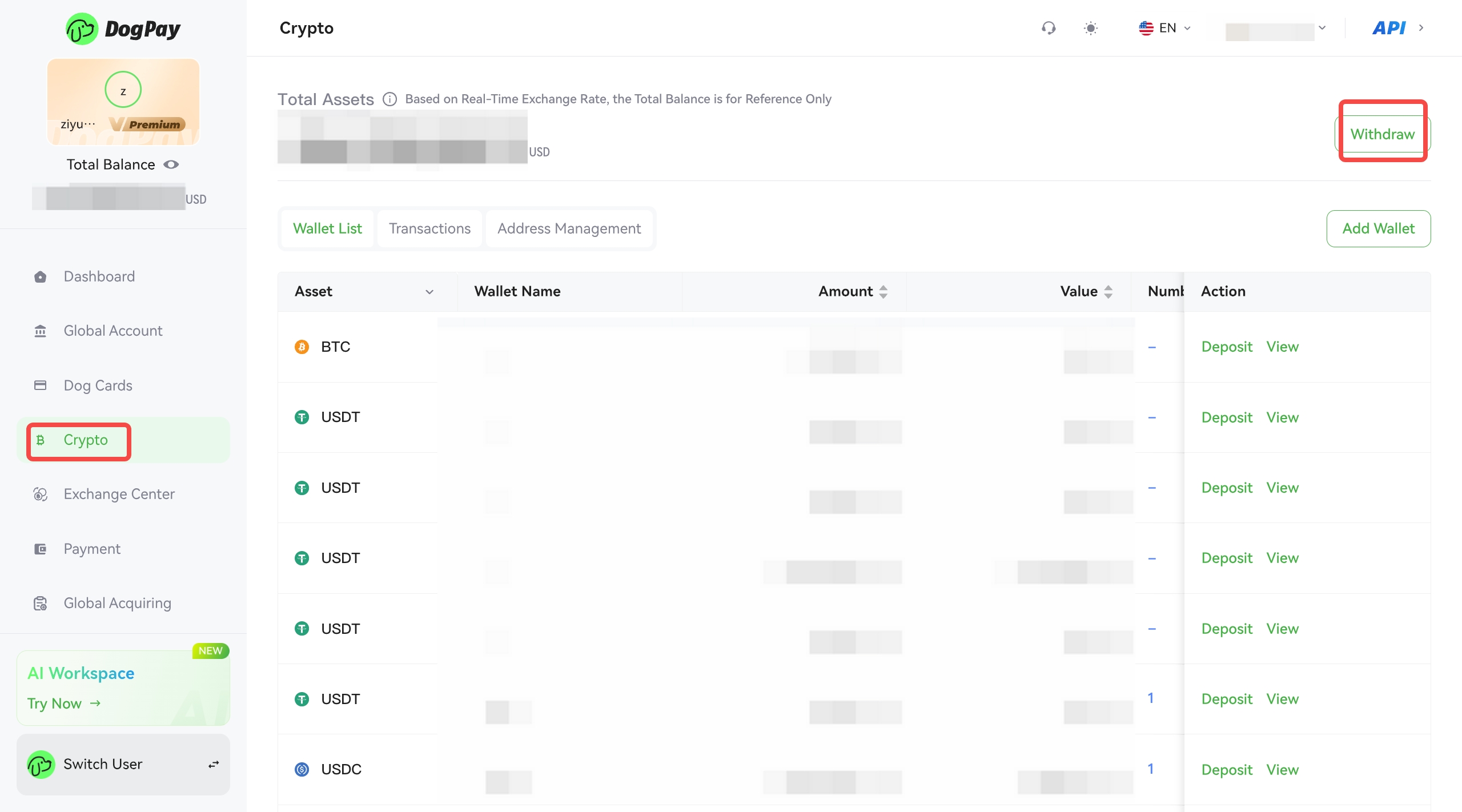
When you need to initiate a refund for a user, you can do so through the "Crypto Assets" section of the merchant platform.
The steps are as follows:
1. Click "Transfer Out" in the Crypto Assets section.
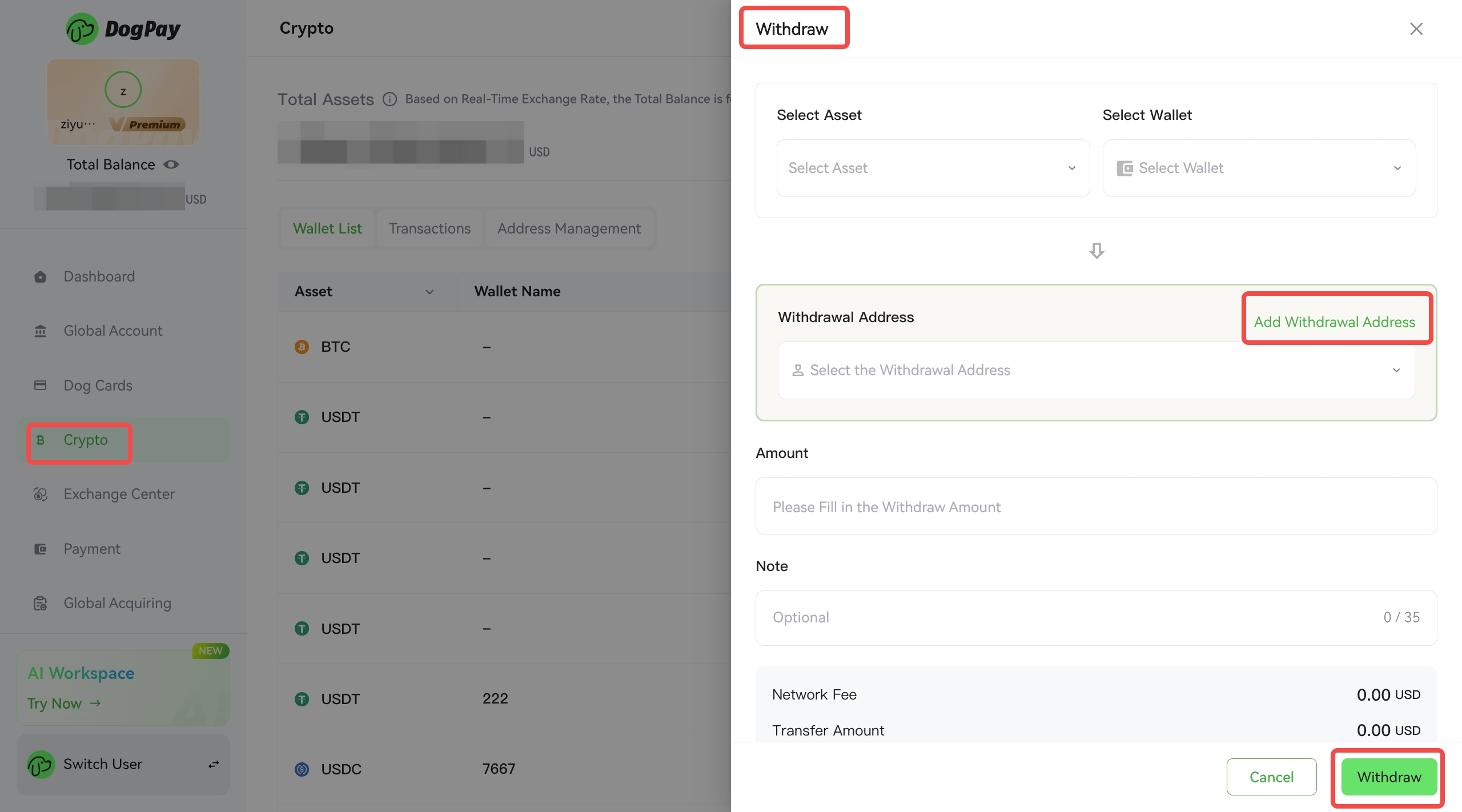
2. Fill in the specific information on the transfer page.
Special Note:
1. Please ensure that your wallet has sufficient funds for the corresponding refund currency.
2. Merchants need to obtain and confirm the recipient's information themselves.
•View order and transaction details
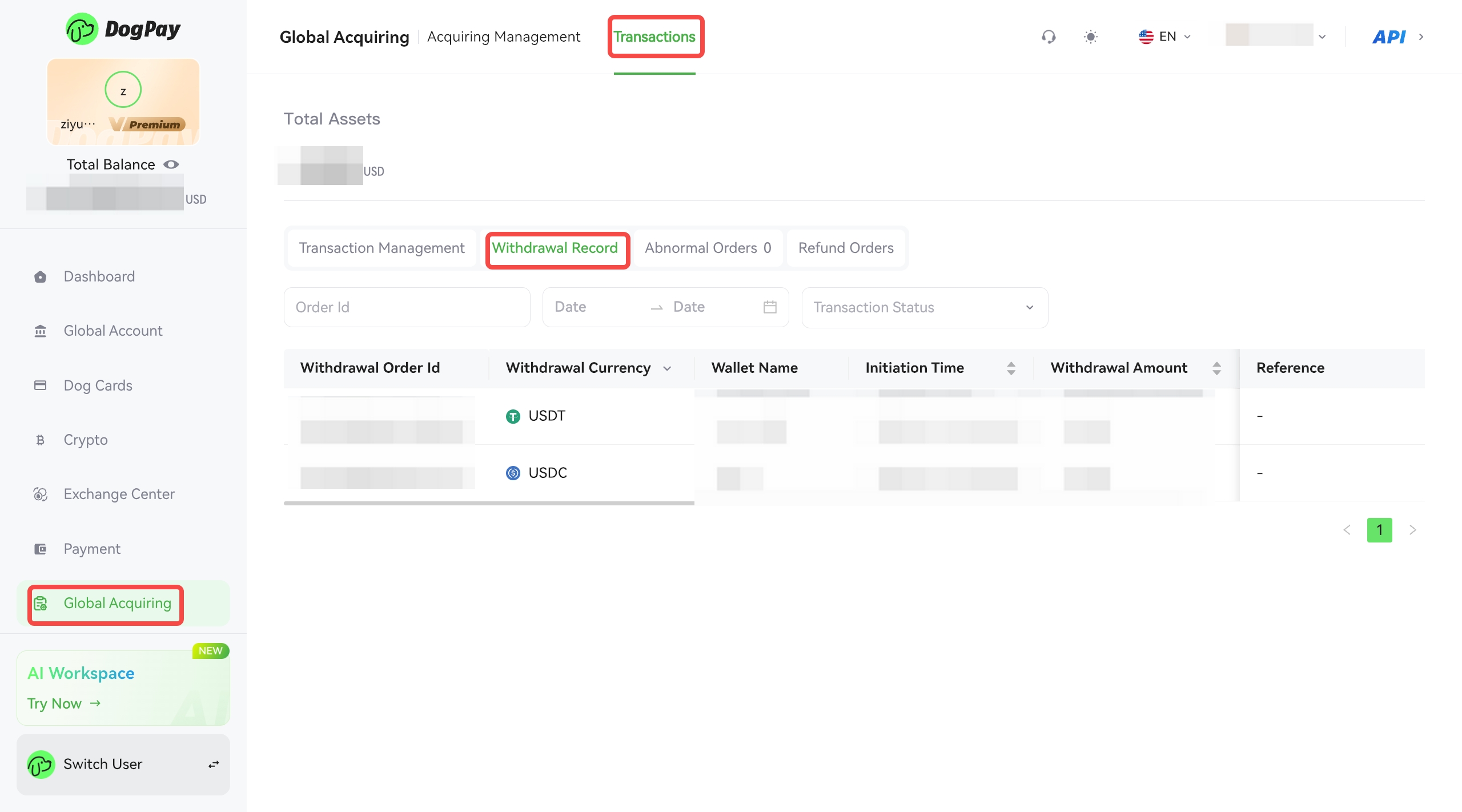
1. View transaction details in Transaction Management
View historical order collection records in Order Management
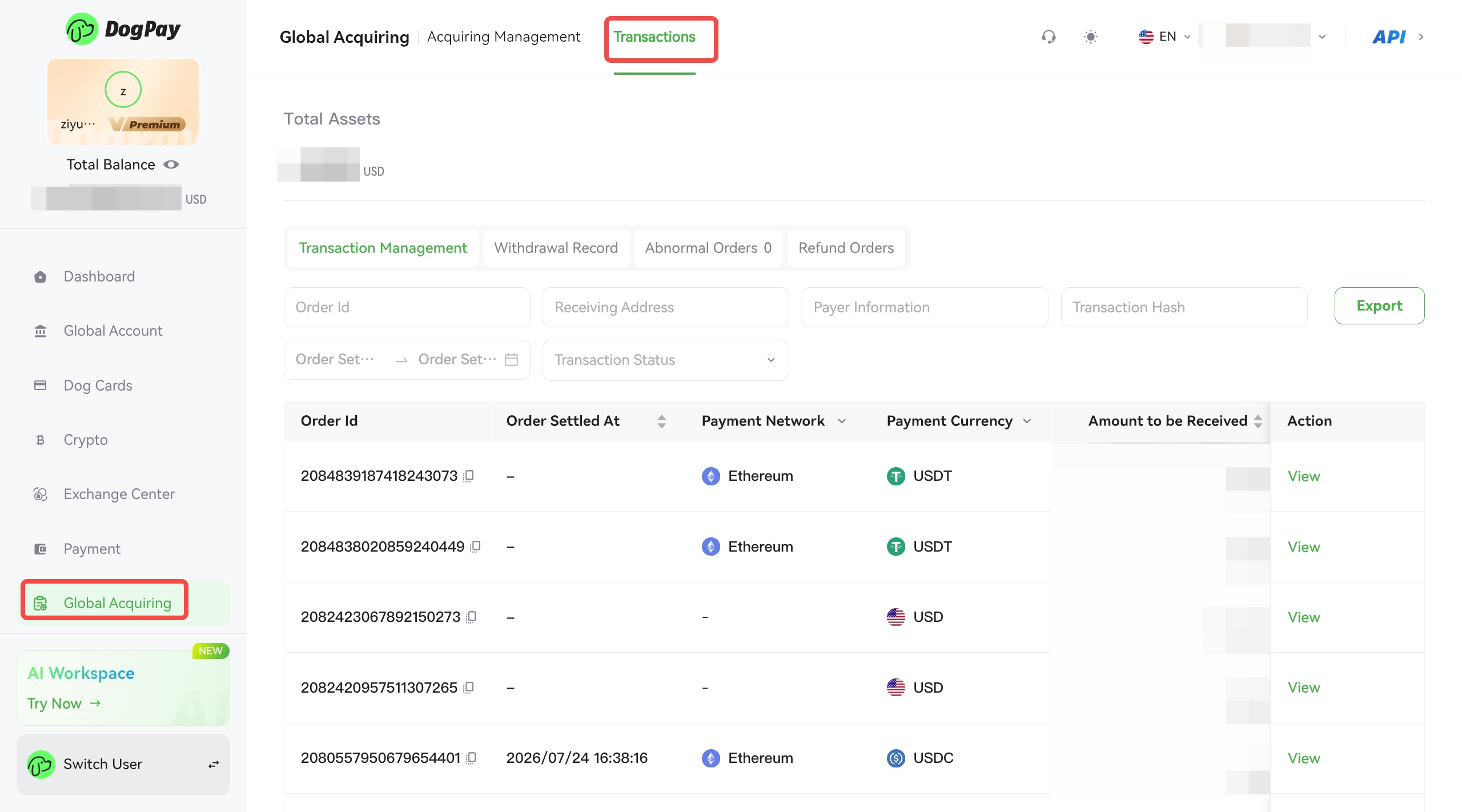
View historical withdrawal records in the withdrawal history
2. Total Data Query
The payment amount and number of payments received interfaces allow you to view data performance by day, month, and year.
Data performance is divided into:
a. All payments received (including transactions in progress)
b. Completed payments received