Employee Card Operations: Setup & Governance
Empowering Teams: Setup and Manage Your Employee Cards
Efficient corporate management means empowering teams to act swiftly while maintaining complete global oversight. The DogPay Employee Card Infrastructure is engineered to decentralize spending without sacrificing regulatory transparency or financial control. From defining departmental budget pools to setting individual card spending caps, you can effortlessly oversee every dollar from a single consolidated dashboard.
The Management Loop: From Setup to Spend
The employee card management lifecycle is structured into five seamless operational steps:
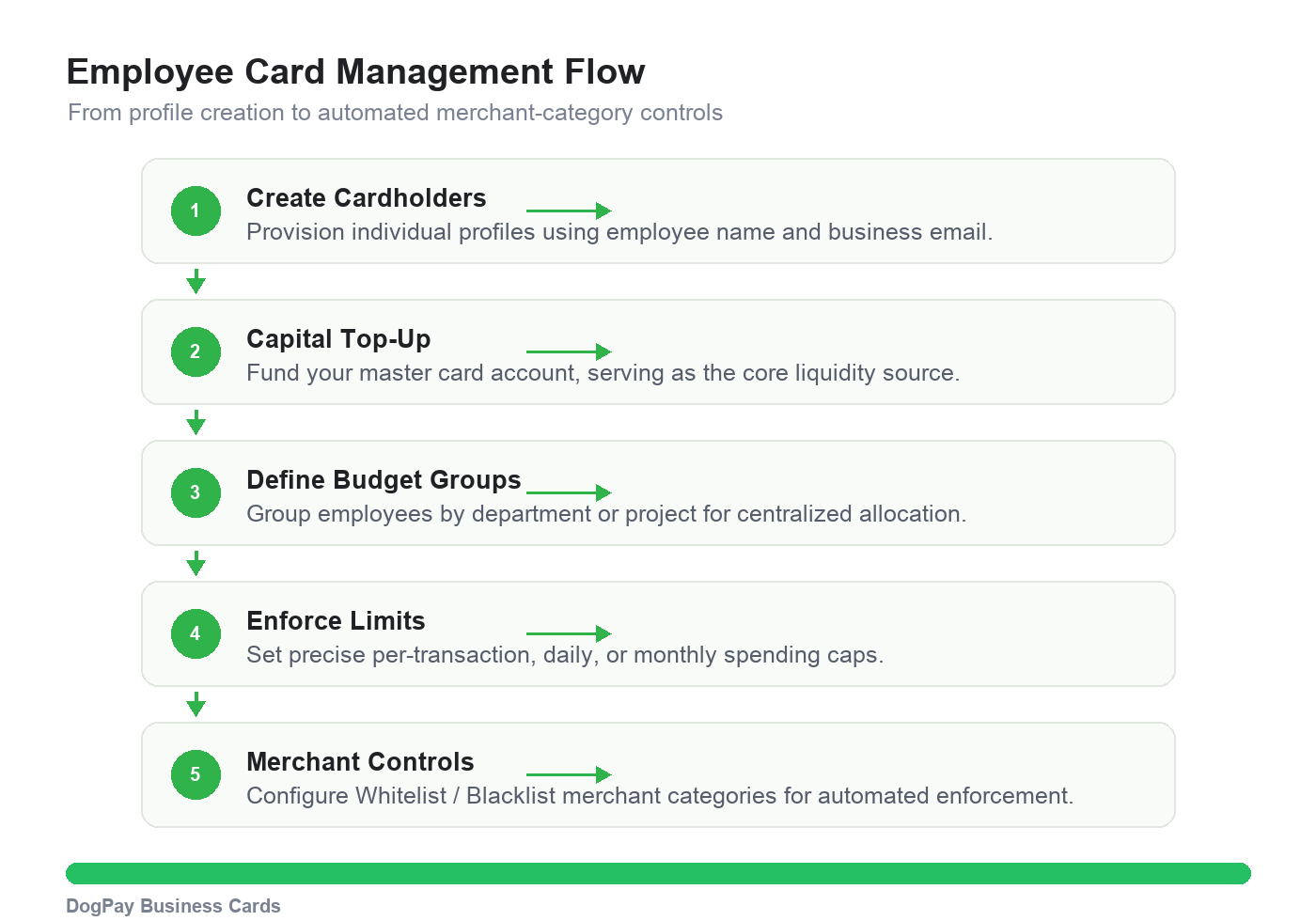
Step 1: Create Cardholders — Provision independent cardholder profiles using the employee’s legal name and corporate email address.
Step 2: Top-Up — Inject capital into the master card account, which acts as the core pool of funds for all downstream budget groups.
Step 3: Define Budget Groups — Categorize employees by department (e.g., Marketing, Engineering) or specific project teams to streamline cost-center management.
Step 4: Enforce Spending Limits — Define granular per-transaction, daily, or monthly spending limits for each individual card.
Step 5: Merchant Rules (Whitelist / Blacklist Protocols)
Whitelist Scenarios: Cards can only execute transactions at explicitly pre-approved merchant categories or MCCs (Merchant Category Codes).
Blacklist Scenarios: If a card attempts a transaction within a restricted merchant category, the system will automatically decline the payment in real time.
Spend Controls: Dual Limit Governance Modes
In DogPay, administrators can flexibly toggle between two spend governance frameworks based on business risk profiles:
Mode A: Shared Group Budget (Group Budget)
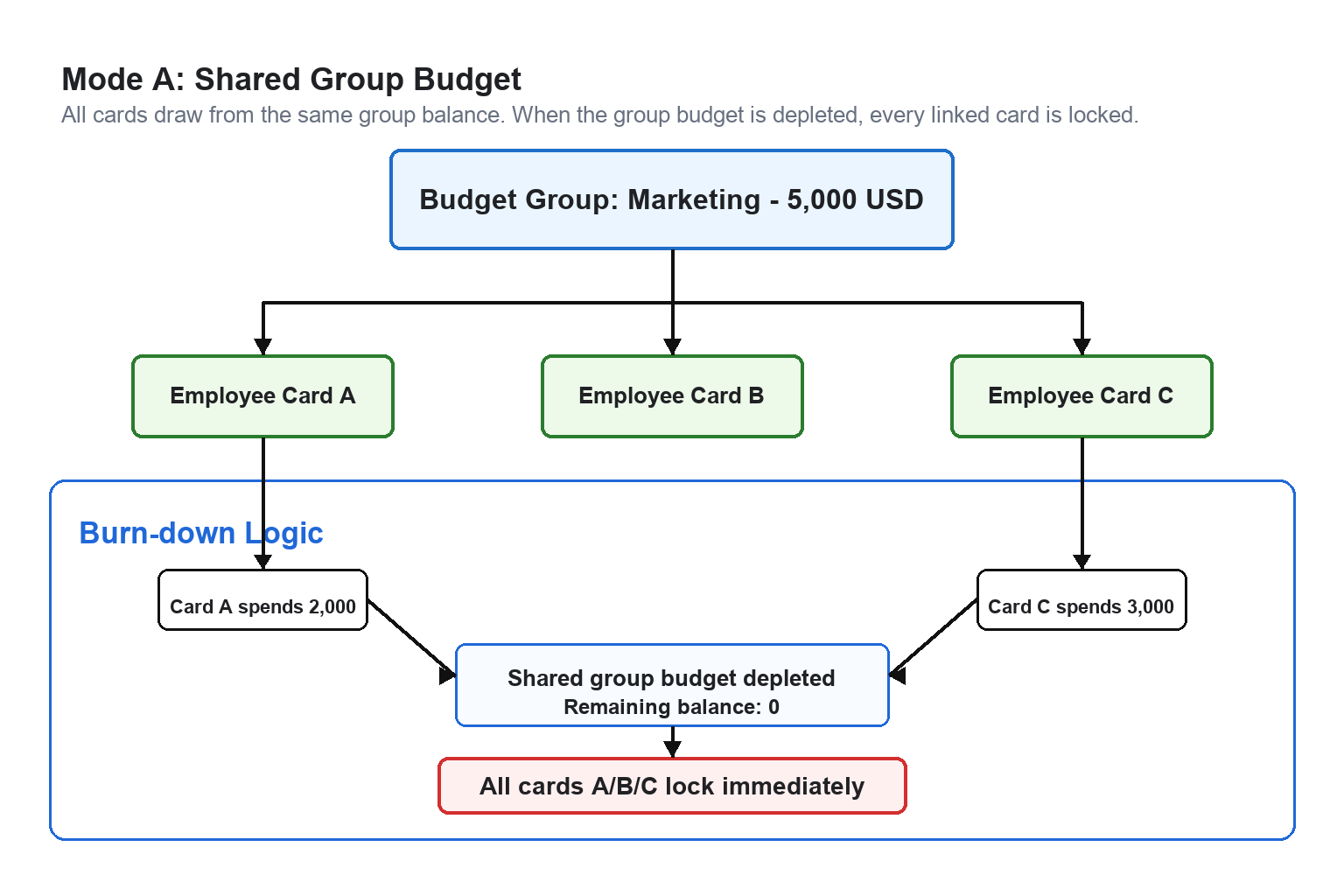
Use Case: Ideal for departmental pooled funds (e.g., Marketing event budgets or quarterly team travel pools).
Core Logic: Once the aggregate budget group threshold is exhausted, all associated cards linked to that group are instantly paused for further transactions.
Mode B: Individual Card Limit (Individual Limit)
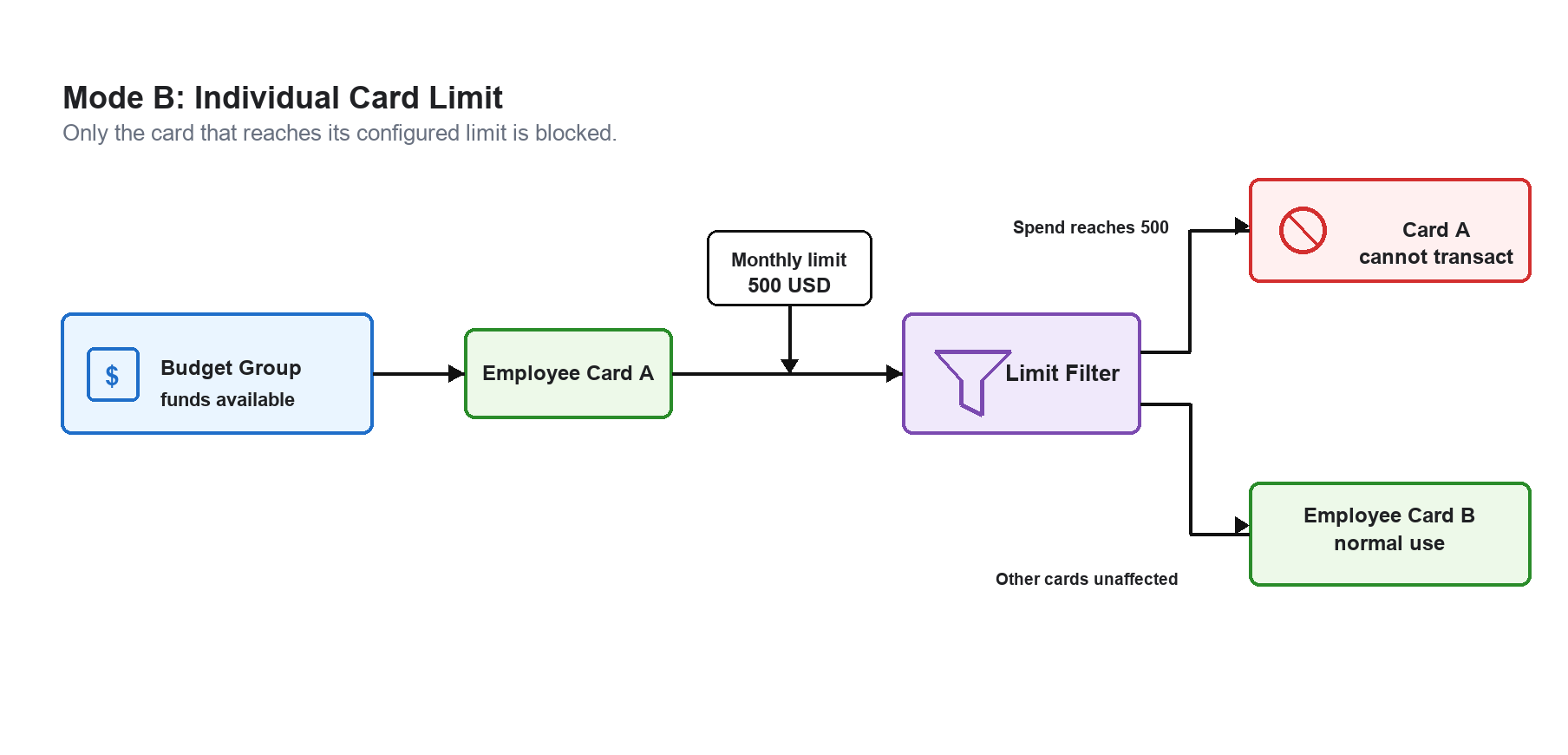
Use Case: Tailored for personal daily expense controls (e.g., individual per-diem meal allowances or recurring software subscriptions).
Core Logic: Even if the master account or budget group has ample liquidity, once an individual card reaches its pre-set limit, subsequent transactions on that specific card will be blocked.
Management Features & Value Matrix
Core Capability | Enterprise Value Proposition |
Custom Budget Groups | Segment funds by department (e.g., Sales, HR) for crystal-clear financial reporting and audit trails. |
Real-Time Limit Adjustments | Increase or decrease spending caps instantly via the admin dashboard as operational requirements change. |
Rapid Card Provisioning | Issue and distribute virtual or physical employee cards instantly without complex manual paperwork. |
Automated Balance Auto-Top-Up | Ensure your teams never experience transaction declines during critical business travel or procurement cycles. |
Frequently Asked Questions
Q: What happens if a Budget Group runs out of funds?
All cards linked to that specific group will be declined immediately for subsequent transactions. Administrators can add funds to the Budget Group in real time to restore card functionality instantly.
Q: Can employees see the entire department’s budget?
No. Employees can only view their own assigned card balance and individual spending caps. Complete oversight across all global Budget Groups is strictly restricted to platform administrators.