The Team module in the DogPay Merchant Portal allows businesses to manage team members, role permissions, and transaction approval workflows.With this module, companies can assign different roles and permissions to team members, set up transaction approval rules, and manage approval requests, helping ensure secure and well-controlled fund operations.
The Team module includes the following sections:
• Role Management
• Team
• Transaction Approval
• Approval Center
1. Role Management
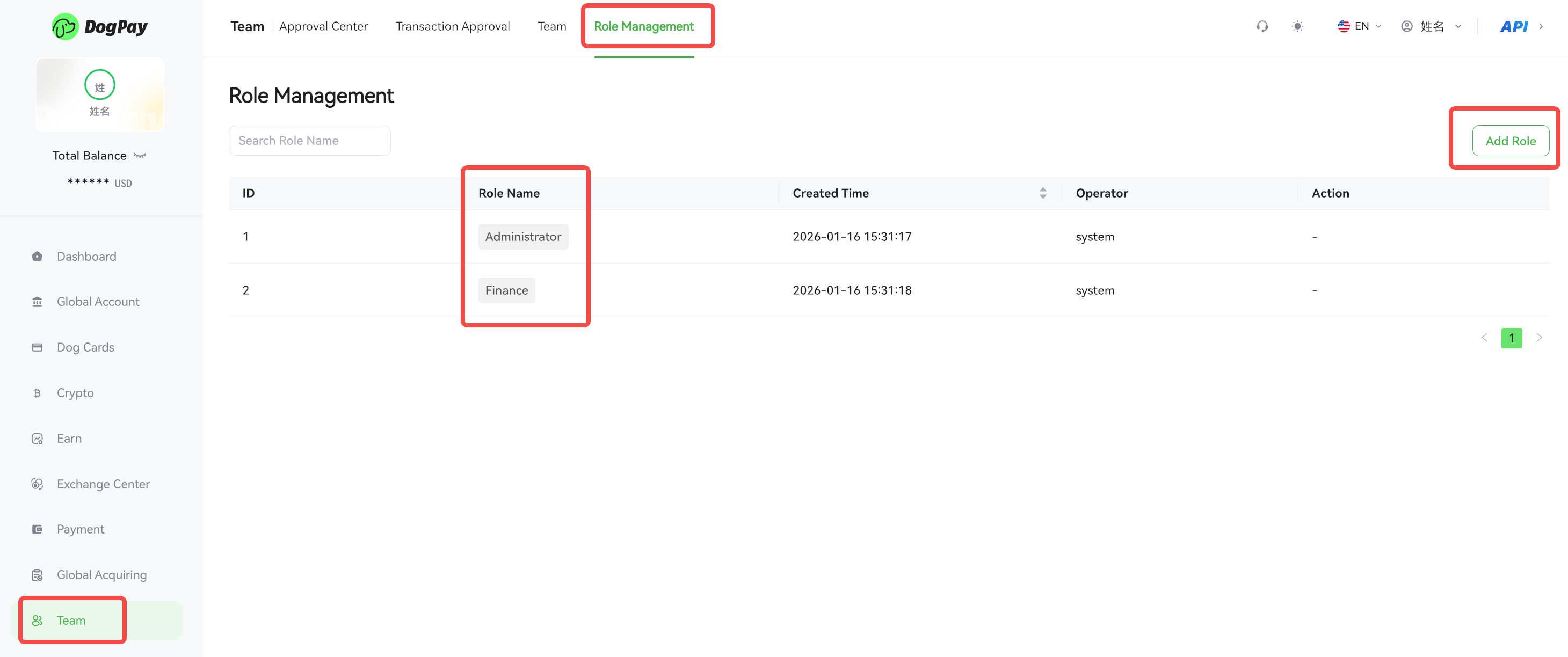
The Role Management section is used to create and manage permissions for different roles.
Businesses can assign different operational permissions to various positions, such as administrators, finance staff, and operations personnel. Companies can also create custom roles as needed and assign the appropriate permissions to each role.
The system provides two default roles:
• Administrator – Has full access to all permissions.
• Finance – Mainly used for financial operations. This role does not include permissions for Team Management, or Role Management.
2. Team
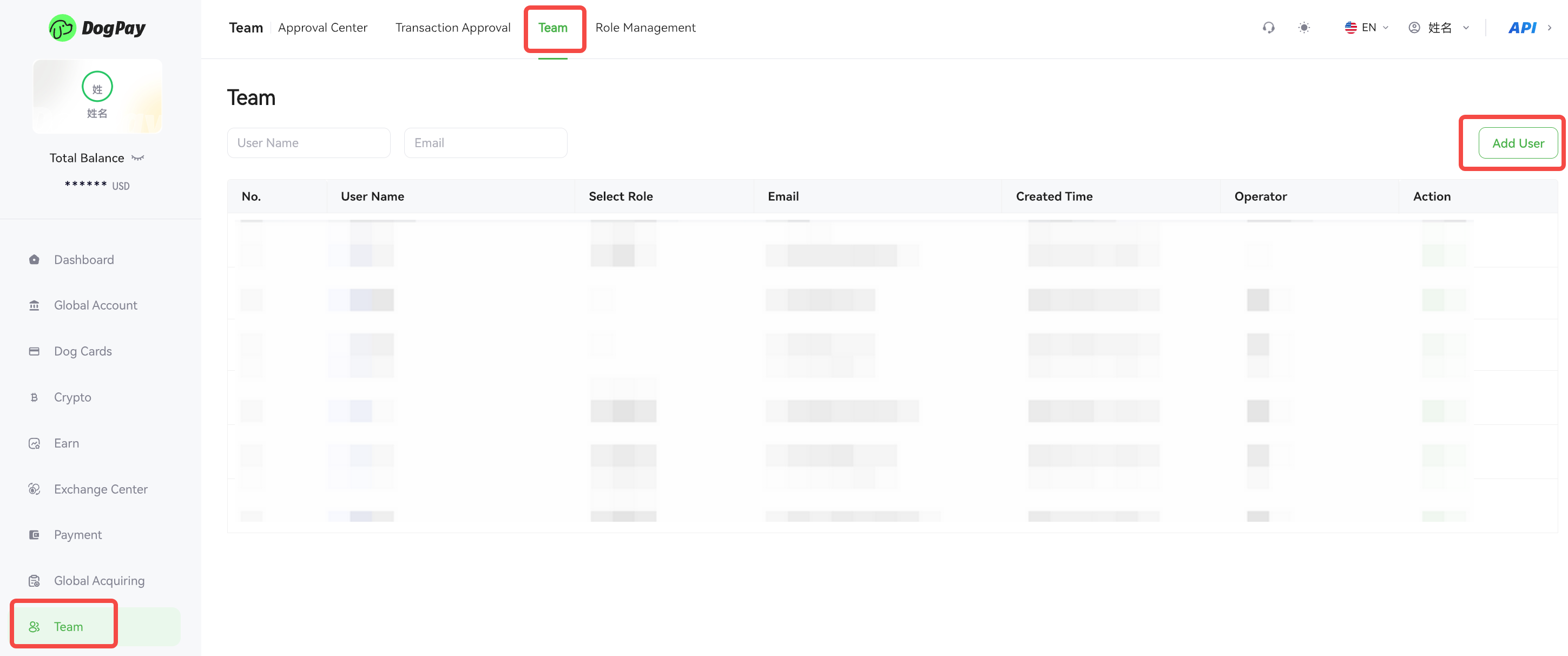
The Team section is used to manage members within the merchant portal.
In the Team section, you can:
• Add users
• Assign roles to users
• Manage team member information
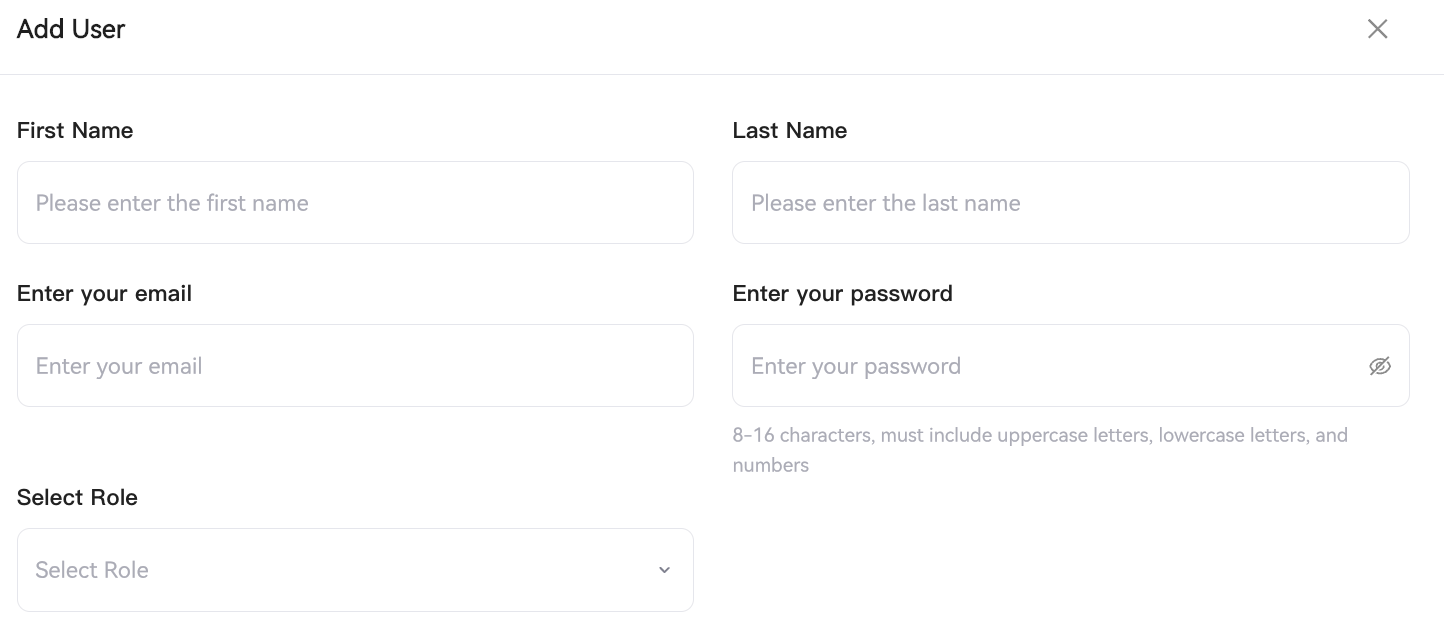
When adding a new user, the following information is required:
• Name
• Login Email
• Login Password
• Role
3. Transaction Approval
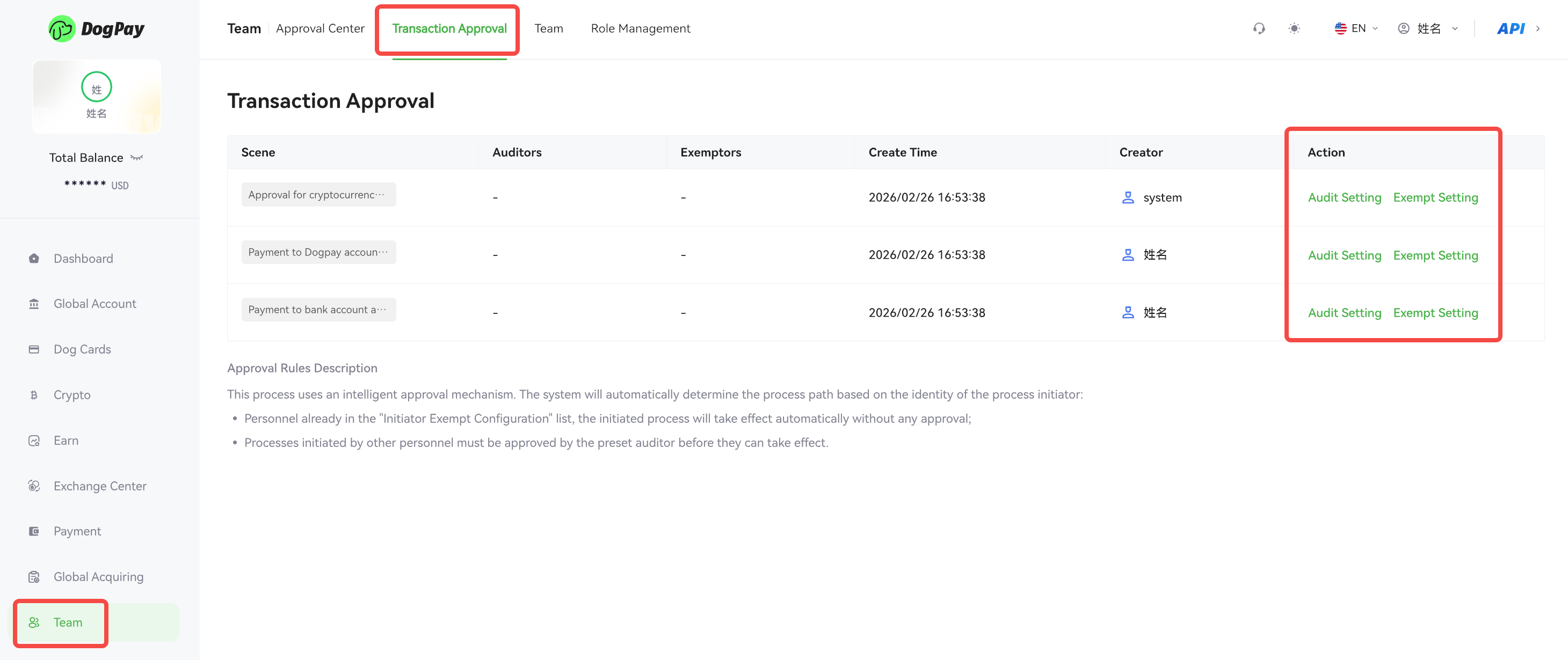
The Transaction Approval section is used to configure approval rules for transactions.
Currently, the following types of transactions support approval settings:
• Cryptocurrency Transfers
• Payments to DogPay Accounts
• Payments to Bank Accounts
Businesses can configure the following settings:
Audit Setting: Specify which users are required to approve certain types of transactions. When a transaction is initiated, it will follow the configured approval workflow.
Exempt Setting: Transactions initiated by Administrators or designated users can be exempted from approval. If no approvers are configured, the transaction will not require approval by default.
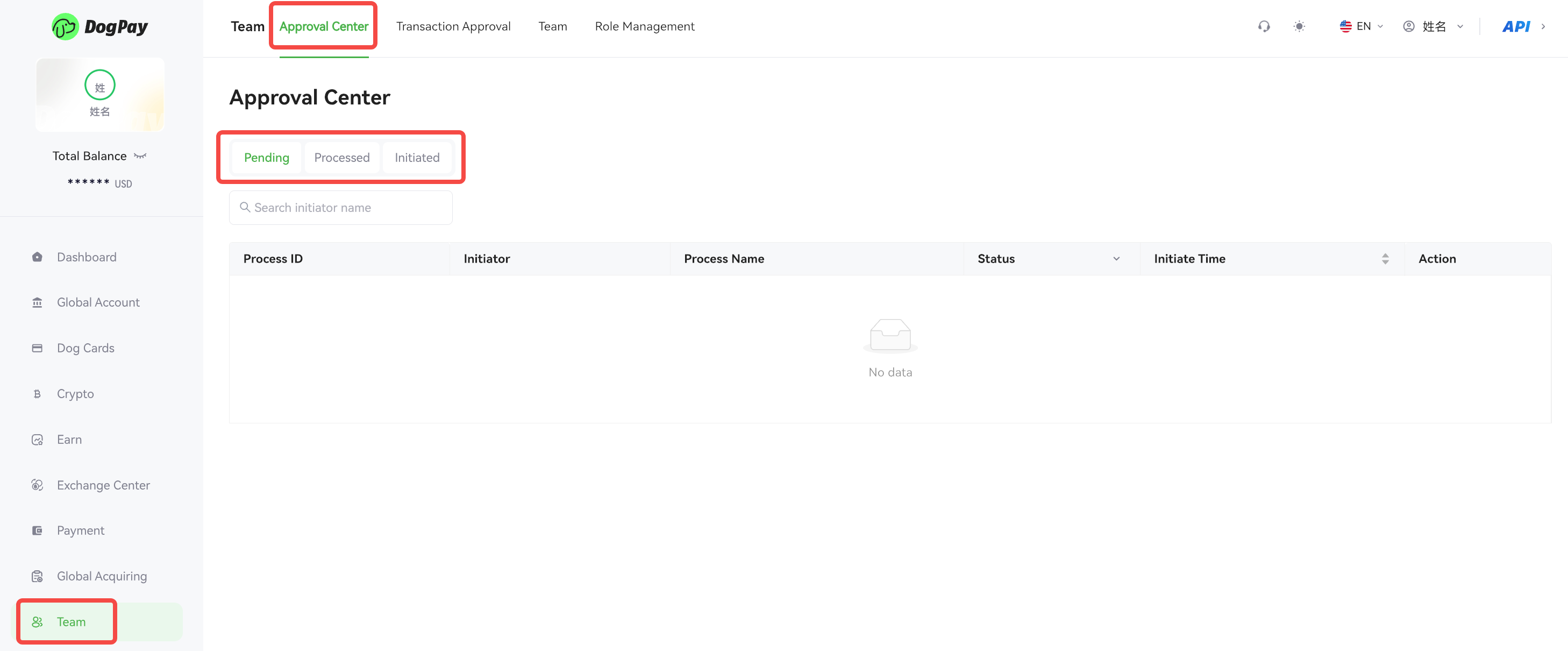
4. Approval Center
The Approval Center is used to view and manage approval requests.
• Pending – Transactions that require approval from the current user.
• Processed – Transactions that have already completed the approval process.
• Initiated – Transactions initiated by the current user.
5. Approval Workflow
The approval process works as follows:
• Add Roles – Set up different roles and permissions in Role Management.
• Add Users – Add users and assign roles in the Team section.
• Configure Approval Rules – Set approvers and approval exemptions in the Transaction Approval section.
• Initiate a Transaction – A user initiates a payment or cryptocurrency transfer.
• Approve the Transaction – Approvers review the request in the Approval Center. Once approved, the transaction will be completed.