How to Top Up and Transfer Funds
To top up your DogCard account, we currently support two methods:
Crypto deposits (such as USDC, USDT, BTC, SOL, DOGE, ETH, etc.)
Internal transfers between DogPay accounts
🔥 Tip: Your account can only be used for spending after it has been topped up. Please make sure your card balance is sufficient.
1. Open the App → Select “Recharge”
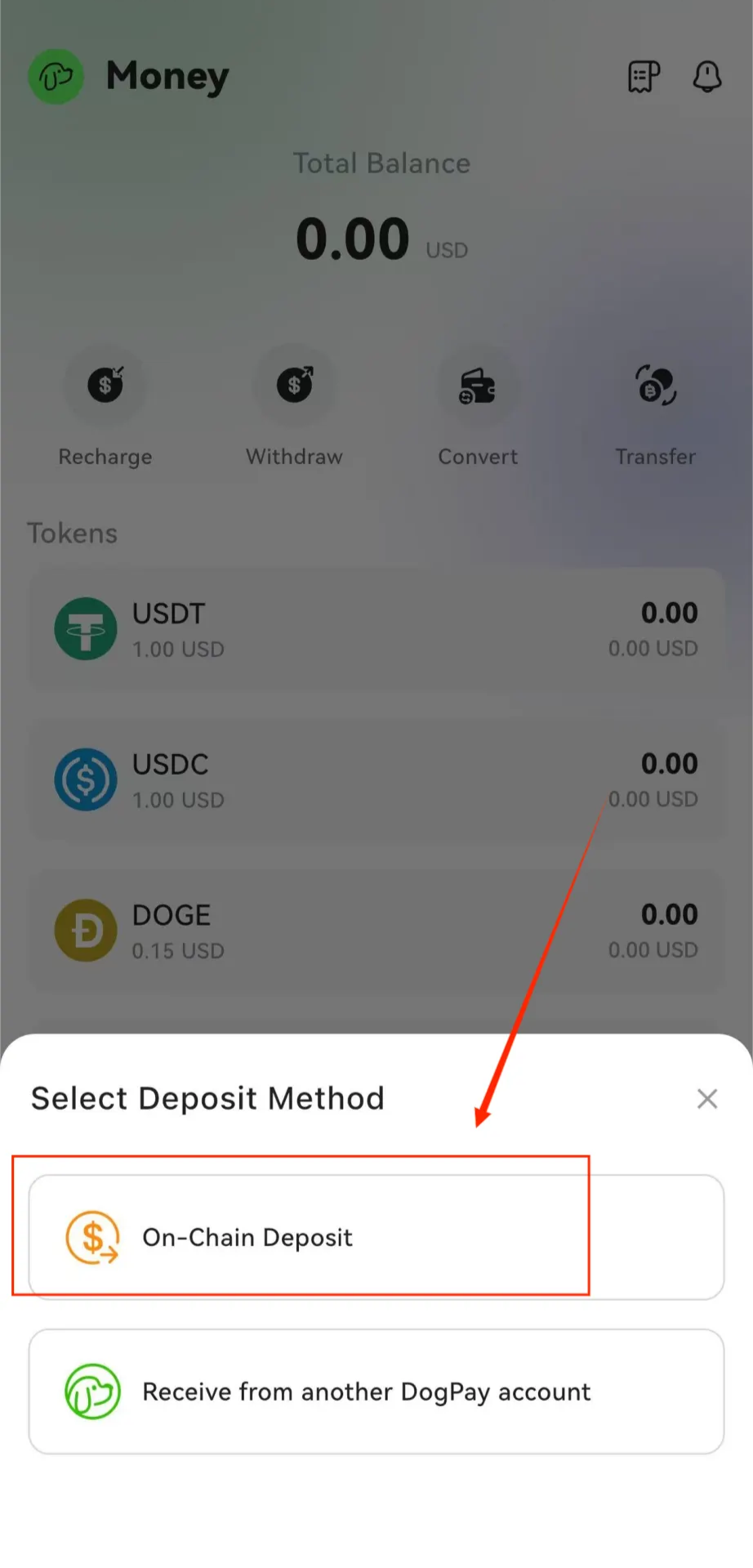
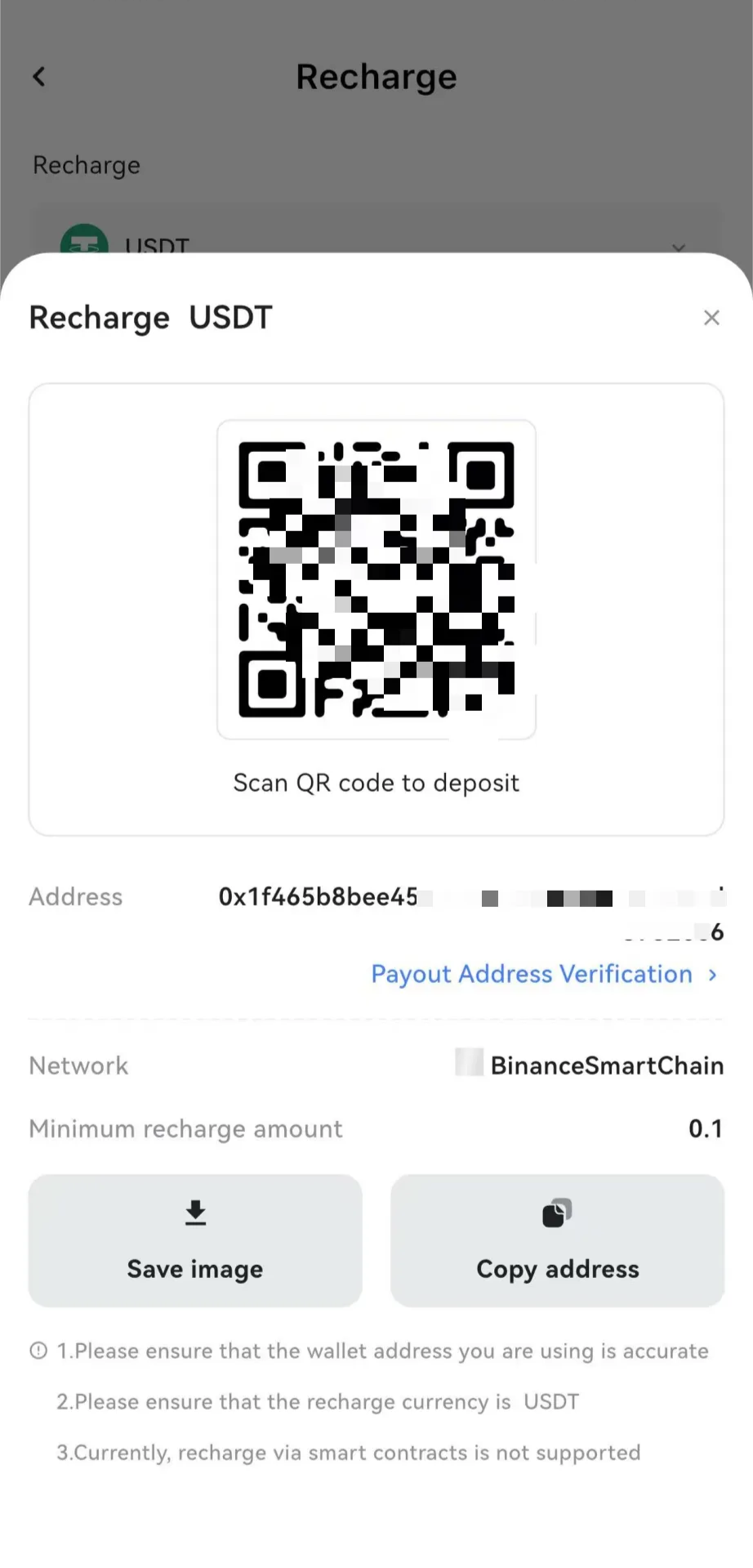
2. Use the generated QR code or wallet address for the deposit
First, follow the on-chain deposit process. Before making a deposit, please carefully verify that the selected token and network match.
If an incorrect address or unsupported token/network is used, the funds may be irrecoverable.
It is recommended to use a wallet or exchange that supports the BNB Chain for direct deposits.
3. DogPay Account-to-Account Transfer
This method is only available between approved DogPay accounts.
Please ensure that the recipient has already registered a DogPay account before initiating the transfer.
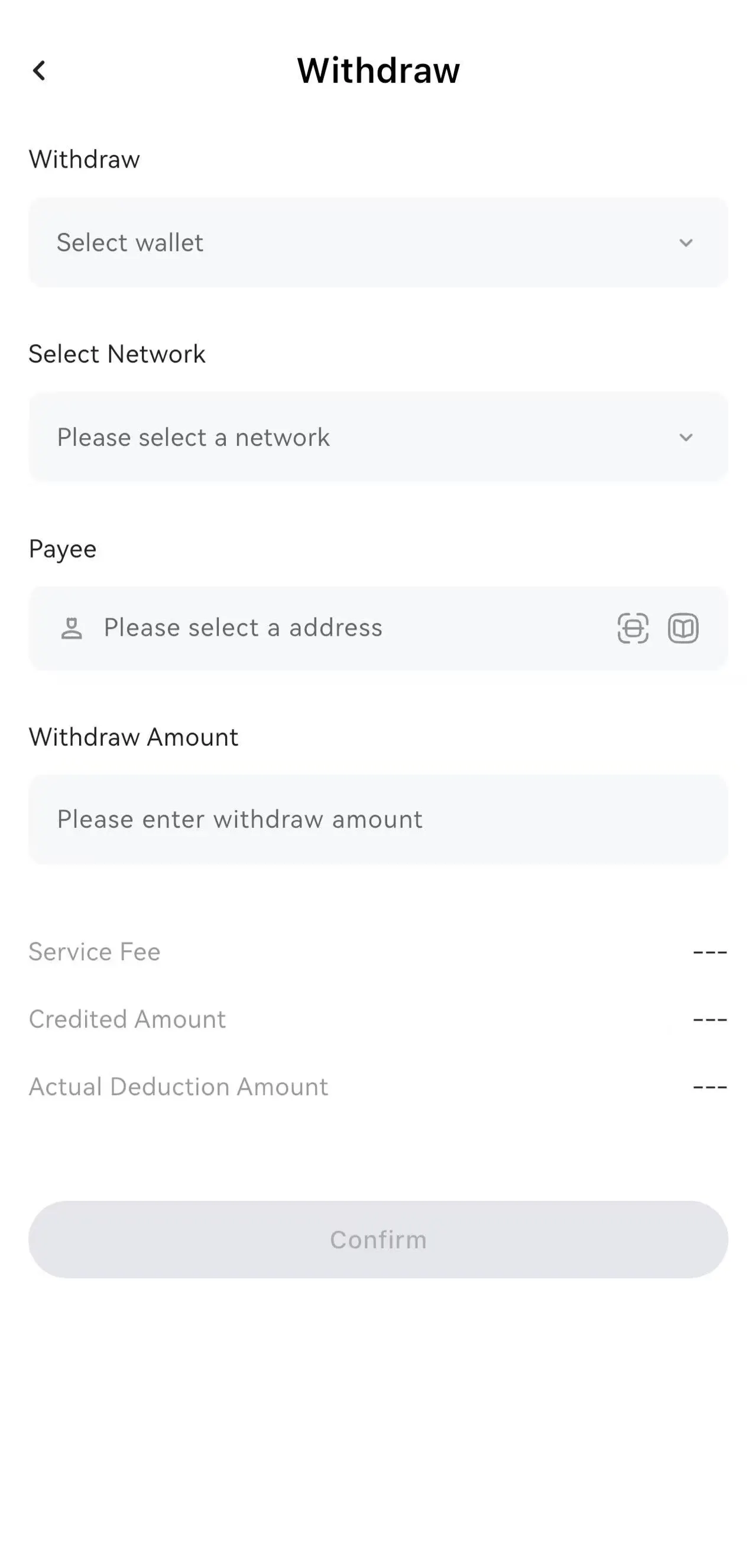
How to Withdraw
1. Open the App → Click “Withdraw”
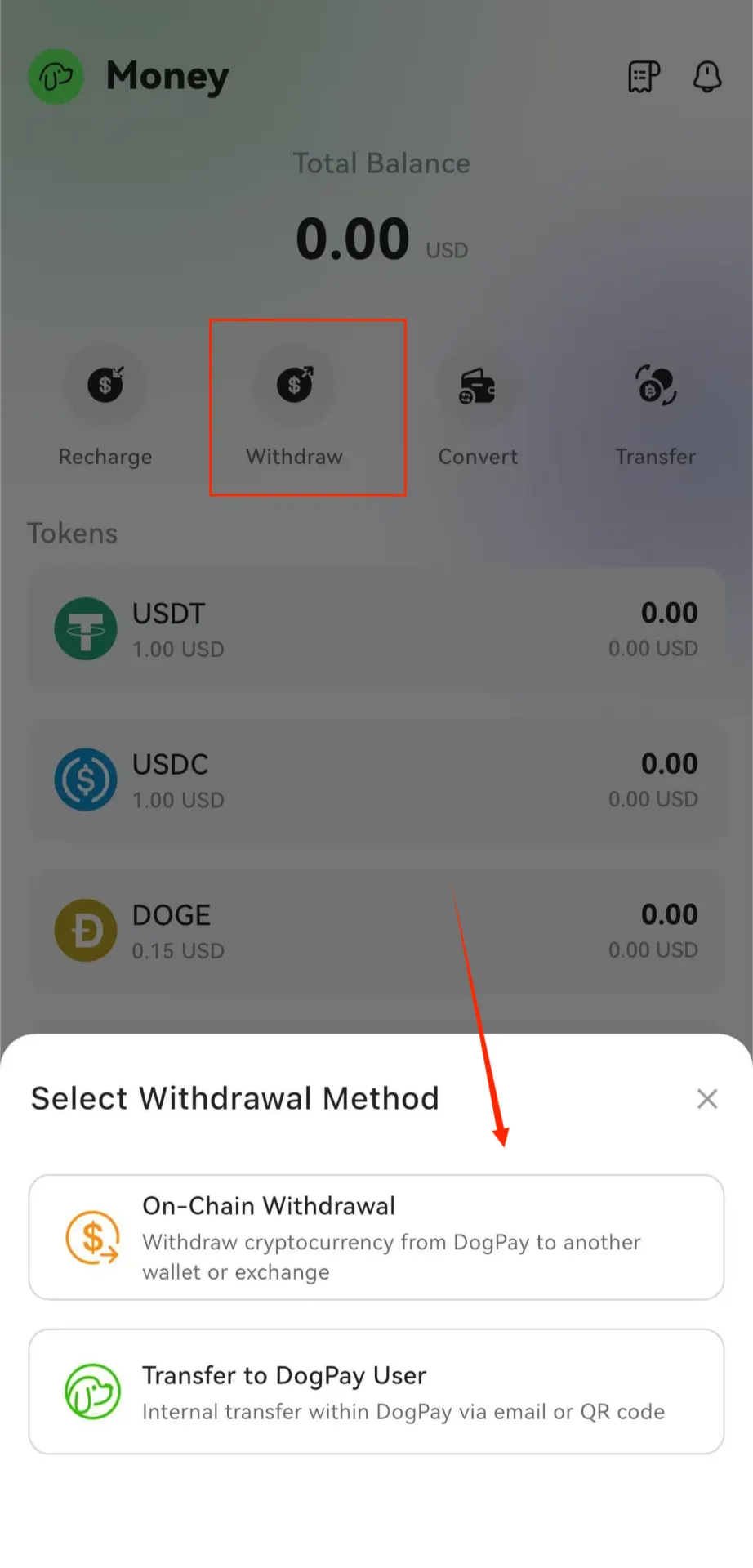
2. Select “On-chain Withdrawal”
Choose the token, network, and withdrawal address.
Then enter the verification code received via email or from your linked authenticator.
After confirming that all information is correct, you can proceed with the withdrawal.